Designing Trust: Shoptaki’s Secure Identity Hub
Led the redesign of SmartID, rebuilding its flow around trust, usability, and simplicity to help users manage their digital identities with ease

MY ROLE
Product Designer

TIMELINE
6+ months | 4 phases to launch

TEAM
4 Designers, 2 Product Managers, 4 Developers, 4 Data Analyst

PROBLEM
Users felt insecure uploading personal IDs and struggled to find them once added. The fragmented flow increased clicks, wasted time, and weakened the product’s core value of secure identity management.

OUTCOME
I transformed the identity experience into a centralized, privacy-first hub, introducing photo-free data extraction. Through iterative testing and design refinements, the flow became simpler and easier for users to trust and navigate.
-where I started
SPOTTING WHAT WASN'T WORKING

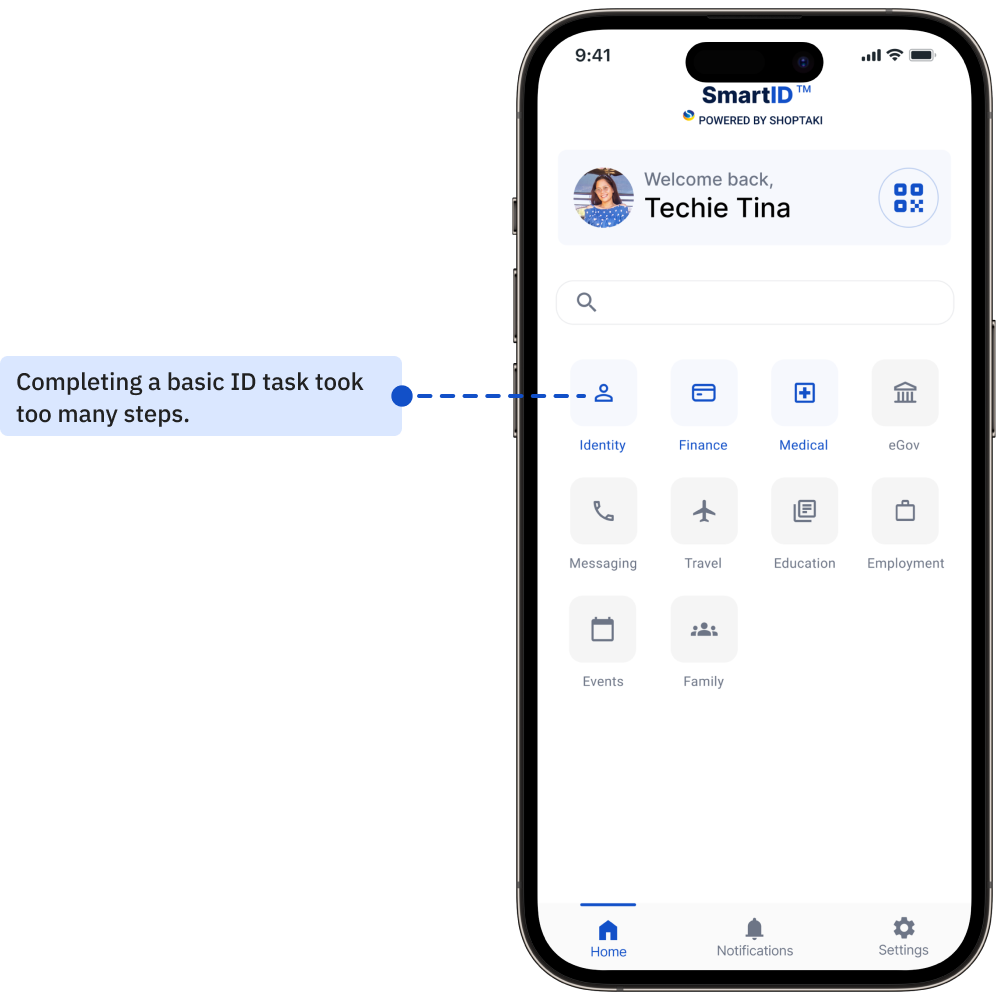
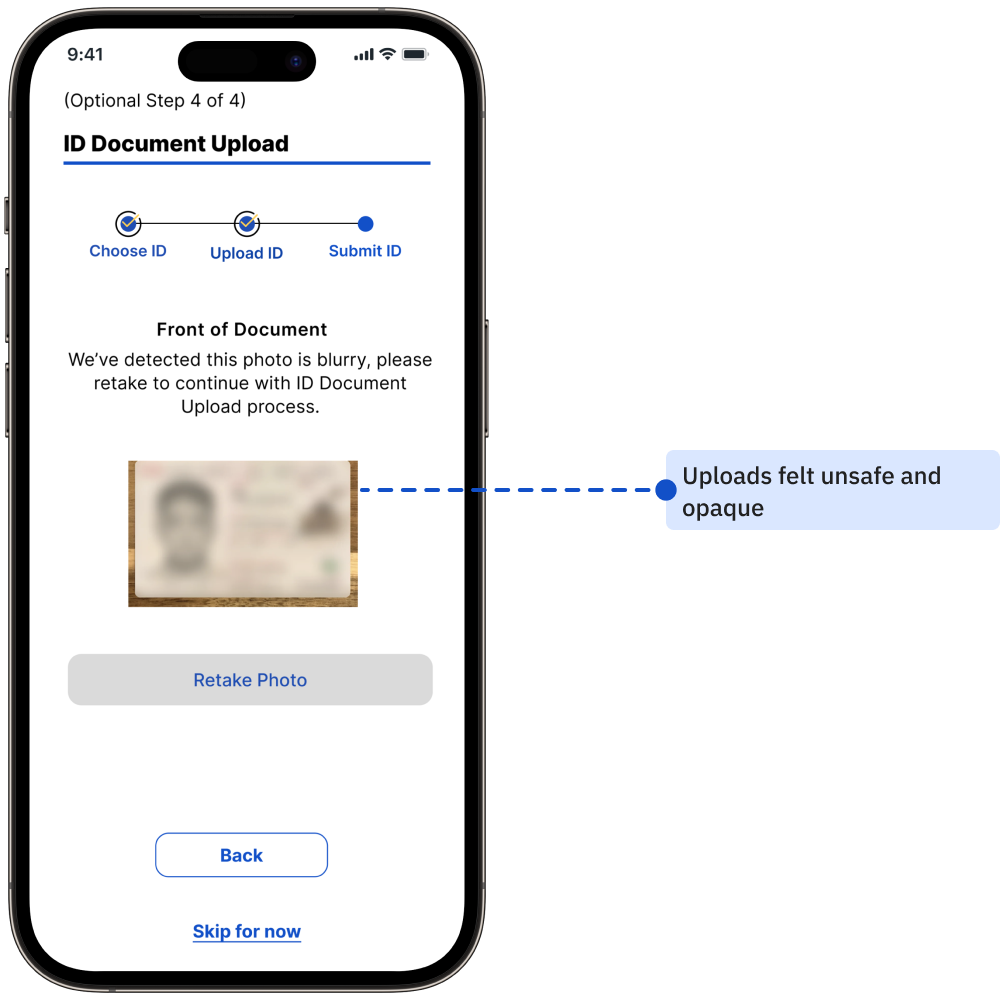
Before I began the redesign, SmartID already had identity pages in place, but they didn’t work the way they should. The ID feature that was meant to be the USP of the product, secure, accessible IDs, was buried behind complexity.
Instead of trust and simplicity, the experience felt fragmented.

Objective
Design a secure identity experience that gives users confidence and control, allowing them to manage their ID’s without worrying about unauthorized access and exposing personal information.

Challenge
Making IDs the core focus as well as the USP of the product and easily accessible in the app. Users struggled to quickly access, trust, and manage their IDs, highlighting the need for a clearer, more intuitive identity flow, hindering the user experience and requiring a design solution that prioritized ease of navigation.
- the turning point
INVESTOR MEET AND FEEDBACK
When I presented SmartID’s early designs to investors, the reaction echoed what I had already seen in usability tests.
The GAP was visible to everyone
-usability tests showed users didn’t trust the flow, and investors echoed the same concern: “Where’s the clear ID value?”
The REALIZATION
-the issue wasn’t polish; the very USP of SmartID was missing. What was needed wasn’t a patch, but a complete redesign of the identity experience.
-researching what mattered the most
USER PAIN POINTS
Noted pain points and design gap

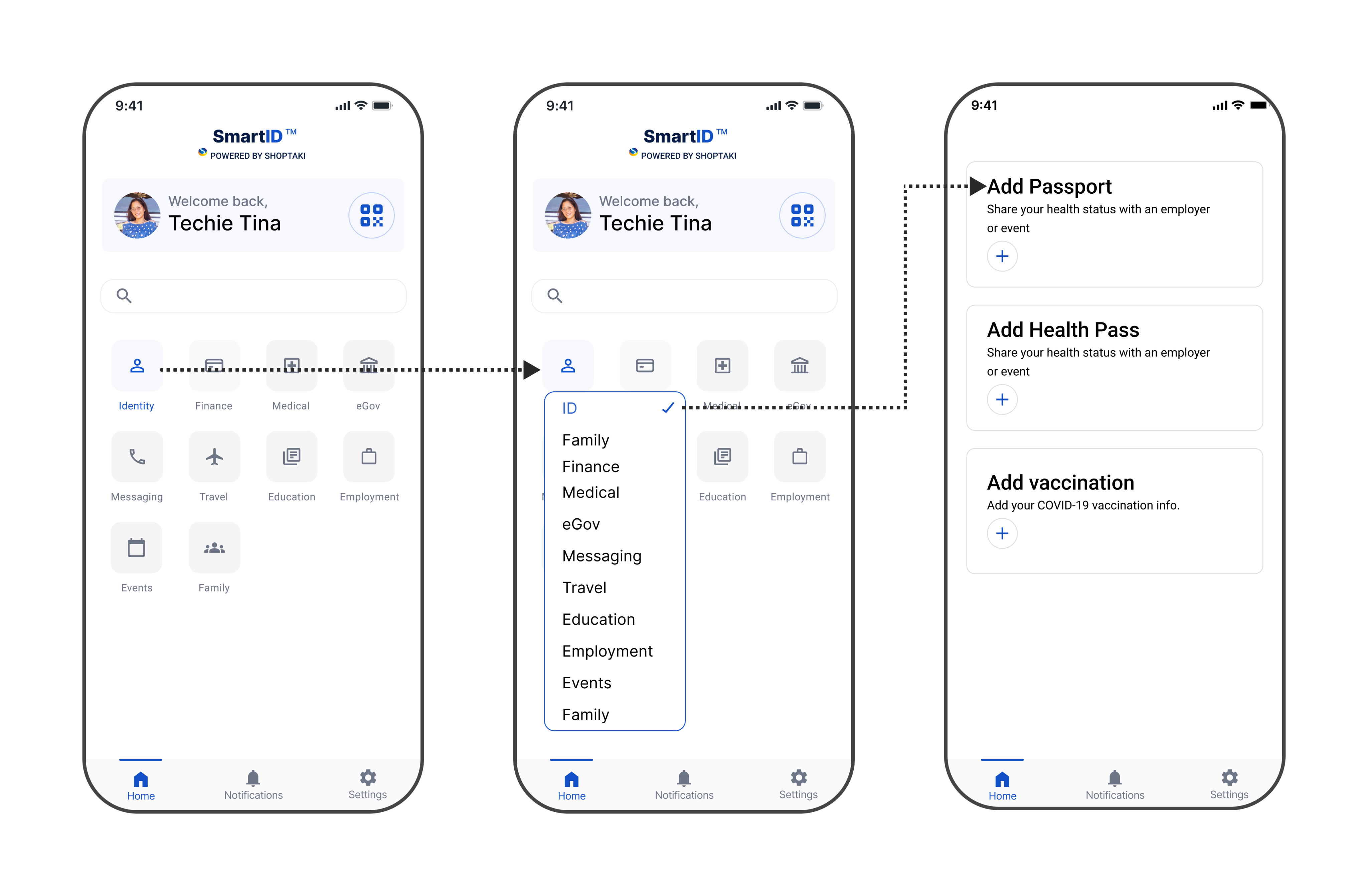
Hidden Pathways
Core ID features were buried behind drop-down and extra clicks, making the main USP hard to access.

Cognitive Overload
Cluttered categories and long lists hid key tasks like “Add Passport,” forcing users to pause.

Broken USP
Instead of seamless ID management, the flow created friction and mistrust, the product’s core value was lost.
-testing, wireframing, refining
THE REDESIGN JOURNEY
User research before changes : Older Design testing metrics
- USABILITY INSIGHTS: WHAT DIDN’T WORK, WHY IT DIDN’T AND WHATS NEXT •

12 Participants were interviewed
42%
Task success
12.7s
Avg. time per task
64/100
User satisfaction score

Discovered Pain Points
Users struggled to locate key ID functions within the main navigation.

Validated Observations
Participants intuitively searched for identity-related actions within a central space.
Here is what I started to redesign
01
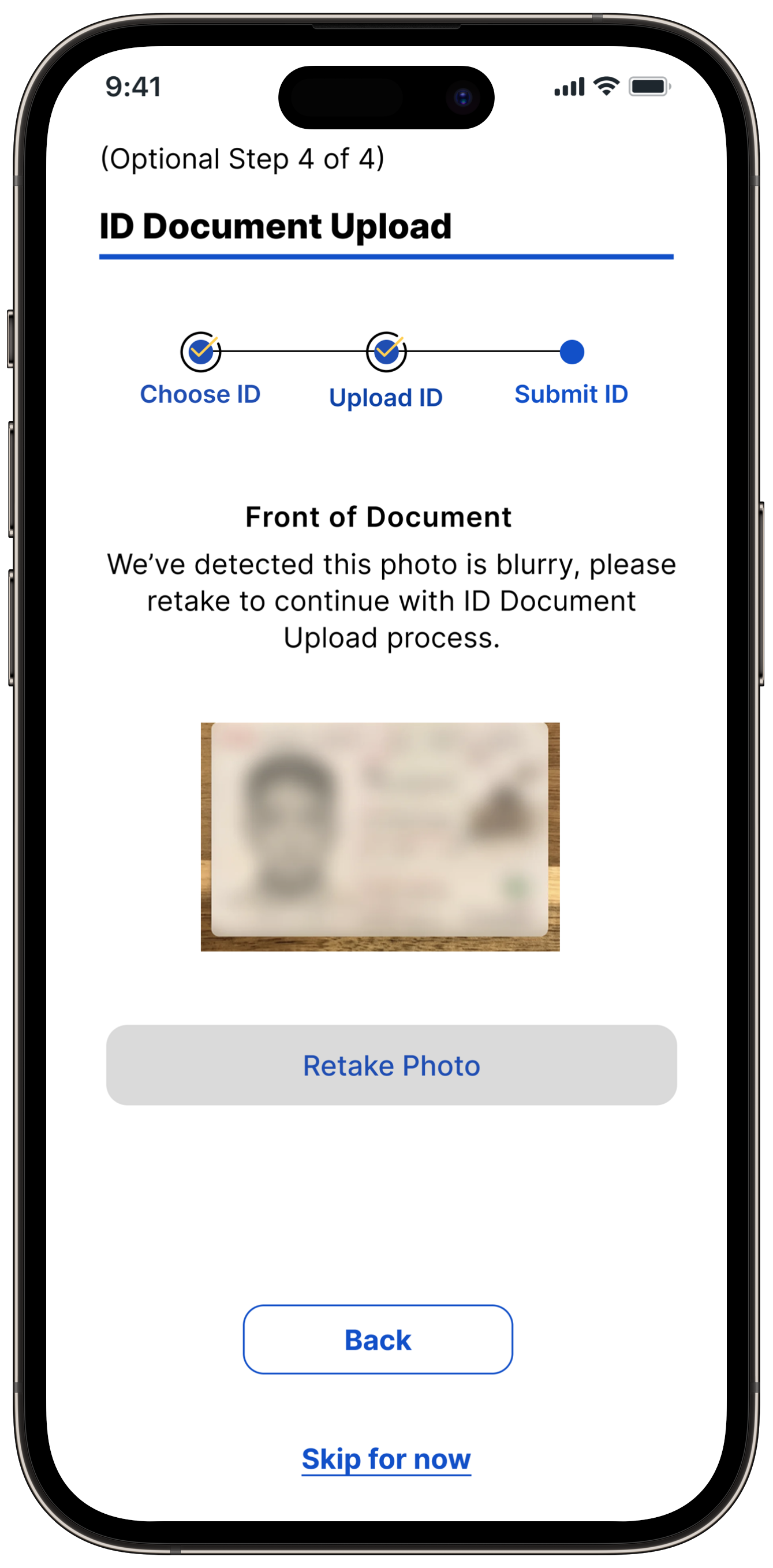
Users lacked trust in the ID upload flow. The process felt opaque, leaving them uncertain about how their personal data was stored, shared, and secured.
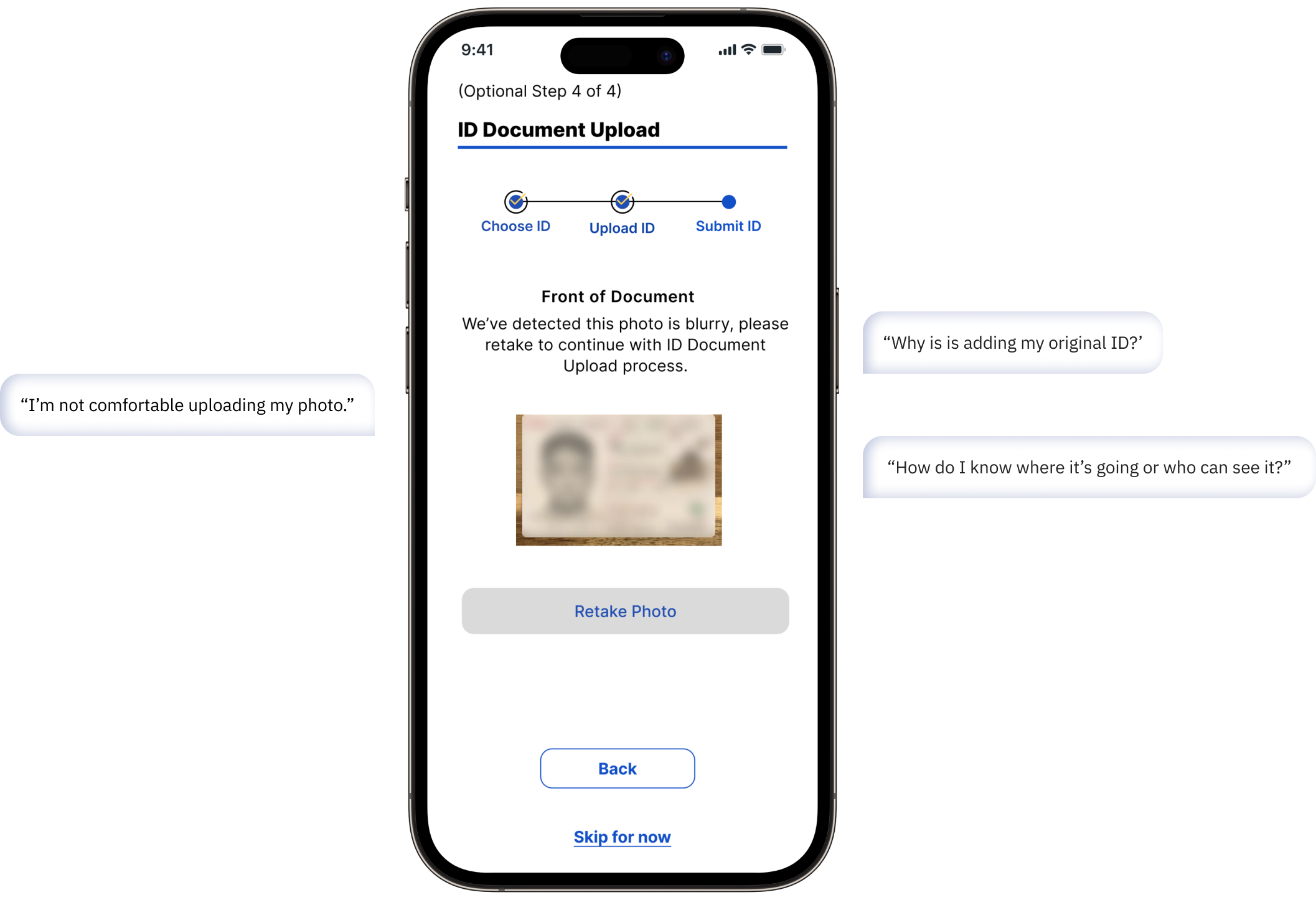
OLD INTERFACE DESIGN
02
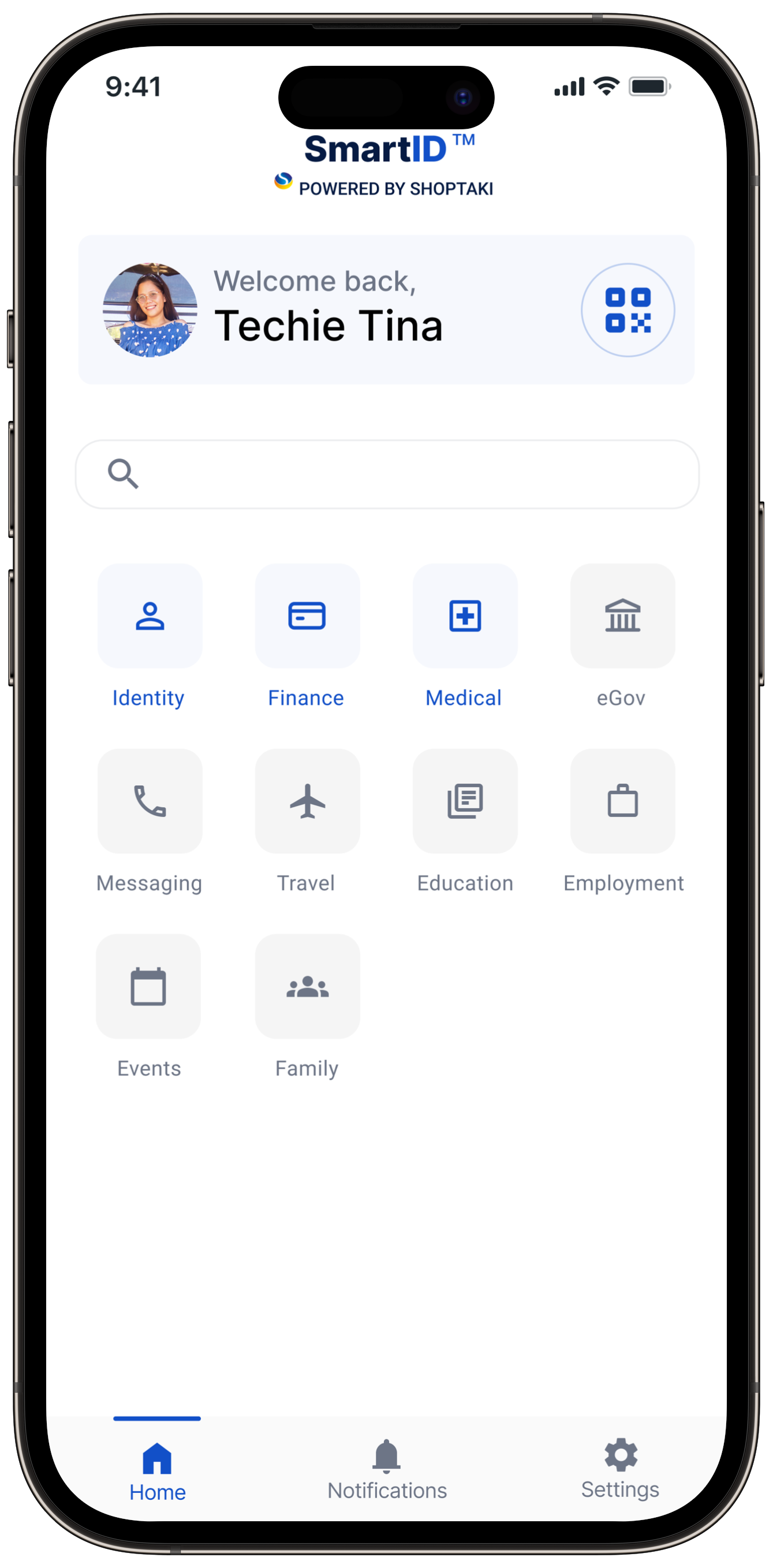
Users struggled to locate and manage their IDs within the app. The older design buried easy ID access under multiple screens and lacked a clear, centralized hub. Without intuitive navigation, what should have been a simple action viewing all IDs in one place turned into a frustrating, time-consuming process.
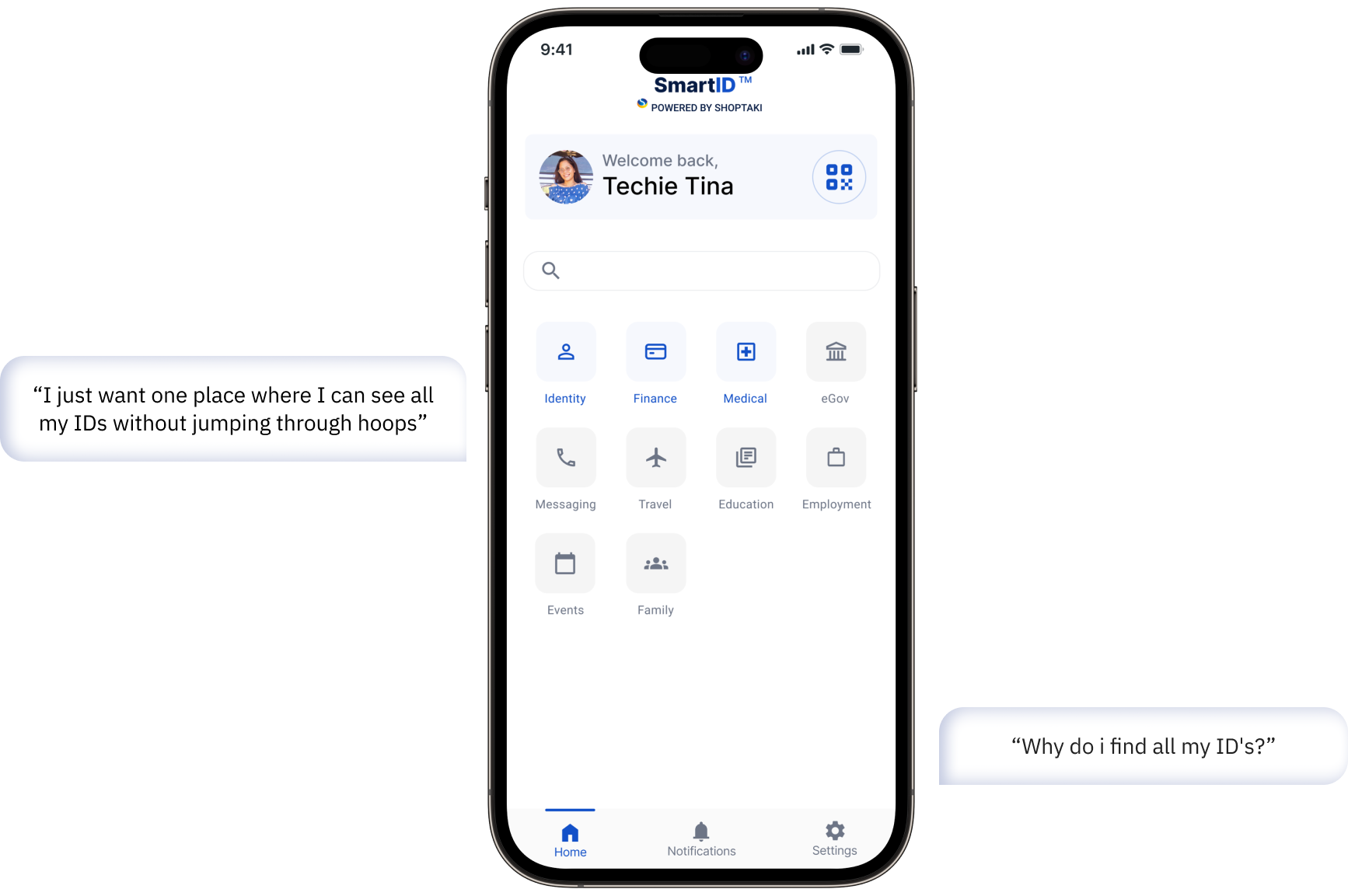
Old Interface Design
Turned user concerns into design priorities

Privacy-First Approach
Implement data extraction without storage to protect user privacy.
Designing the path forward with wireframes
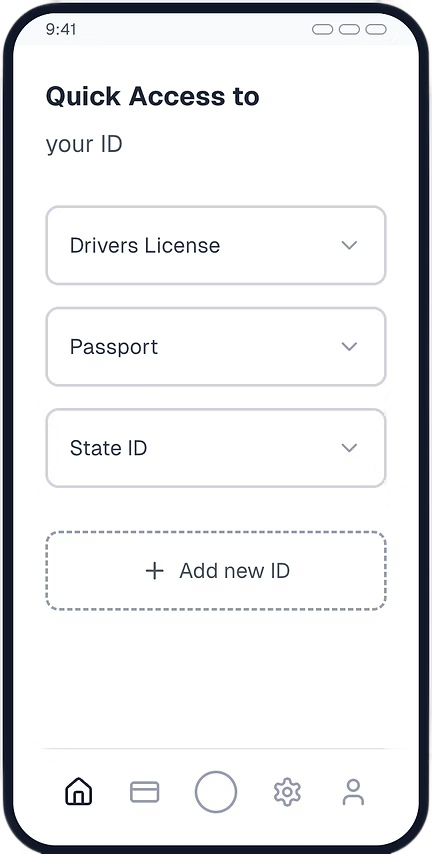


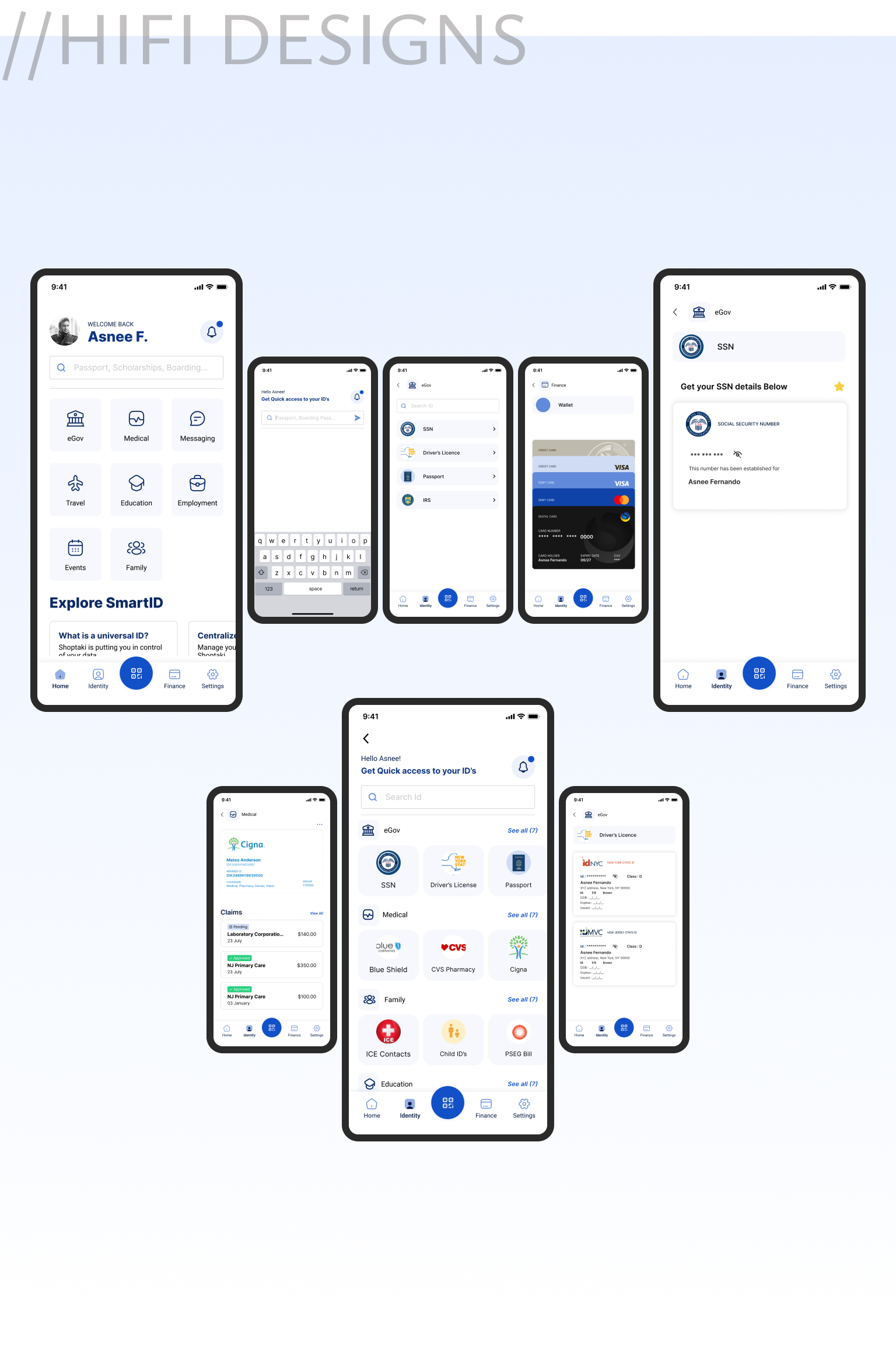
Final design outcome
Designed a privacy-first solution by enabling data extraction without image storage, increasing user trust.
Validated solutions through iterative testing, ensuring seamless integration while balancing technical feasibility and business goal
UPDATED NAVIGATION LAYOUT
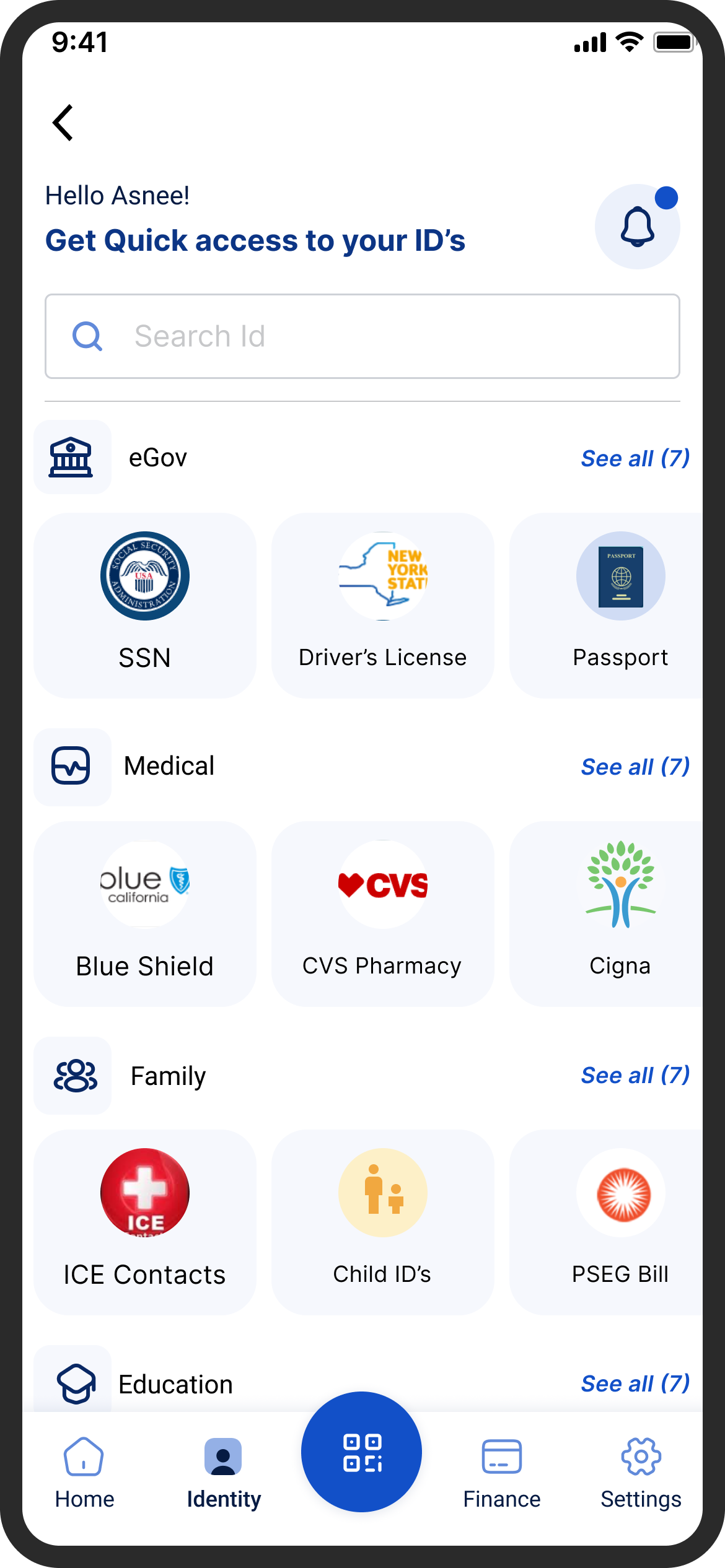
Centralized identity access to make switching, verifying, and managing IDs effortless.
IMAGE FREE DATA EXTRACTION
Implemented image-free data extraction to protect privacy allowing users to verify identity securely without storing personal photos.
User research after changes
12 Participants were interviewed
86%
Task success
7.8s
Avg. time per task
89/100
User satisfaction score
SOLUTIONS
01
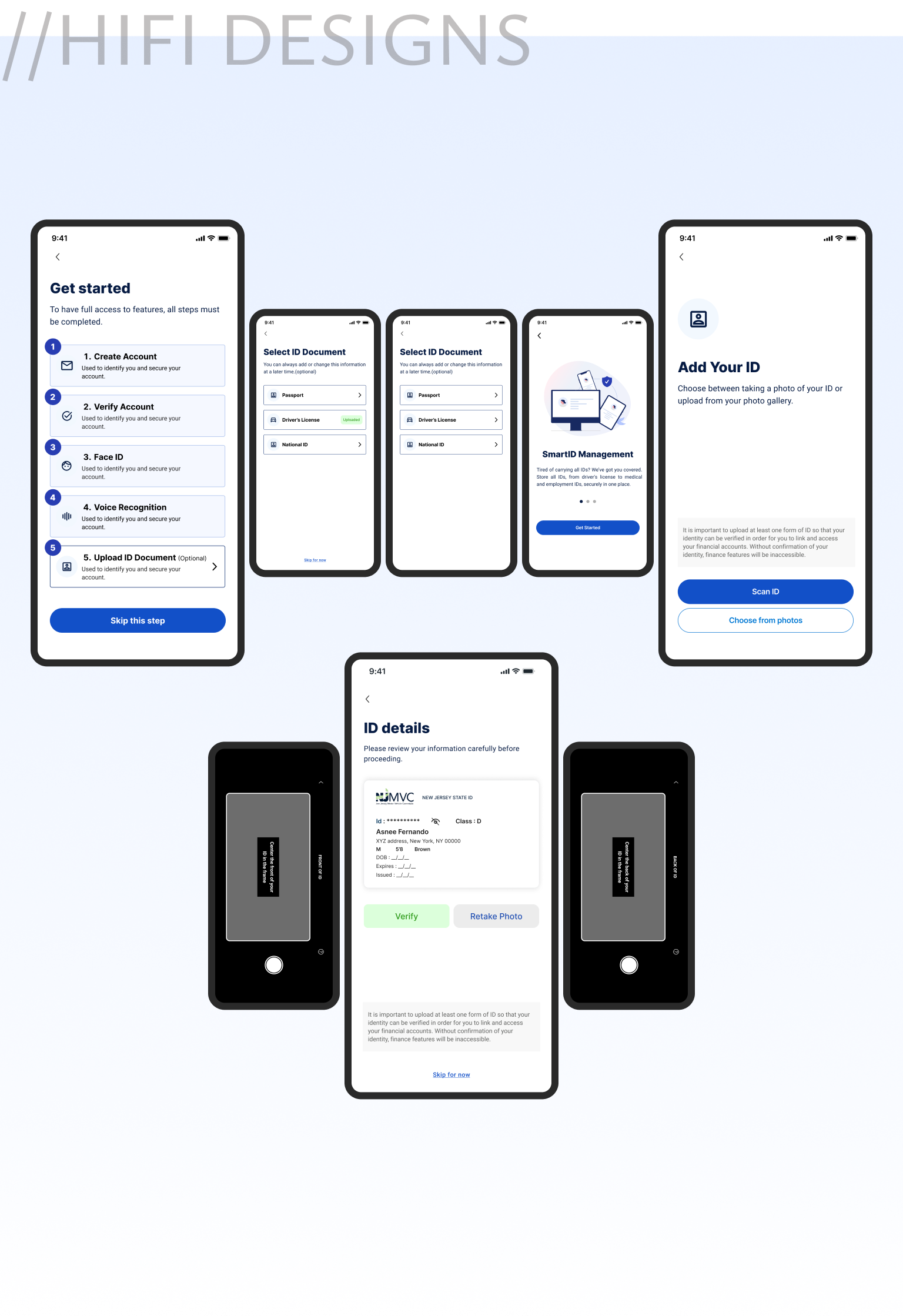
“I felt much more comfortable using the platform once I knew my photo wasn’t being stored. The digital ID card was clear, quick, and felt secure.”- User after testing the updated identity verification flow
Implemented a secure real-time data extraction method that pulls only the required information from ID photos without storing the images, protecting user privacy.
02
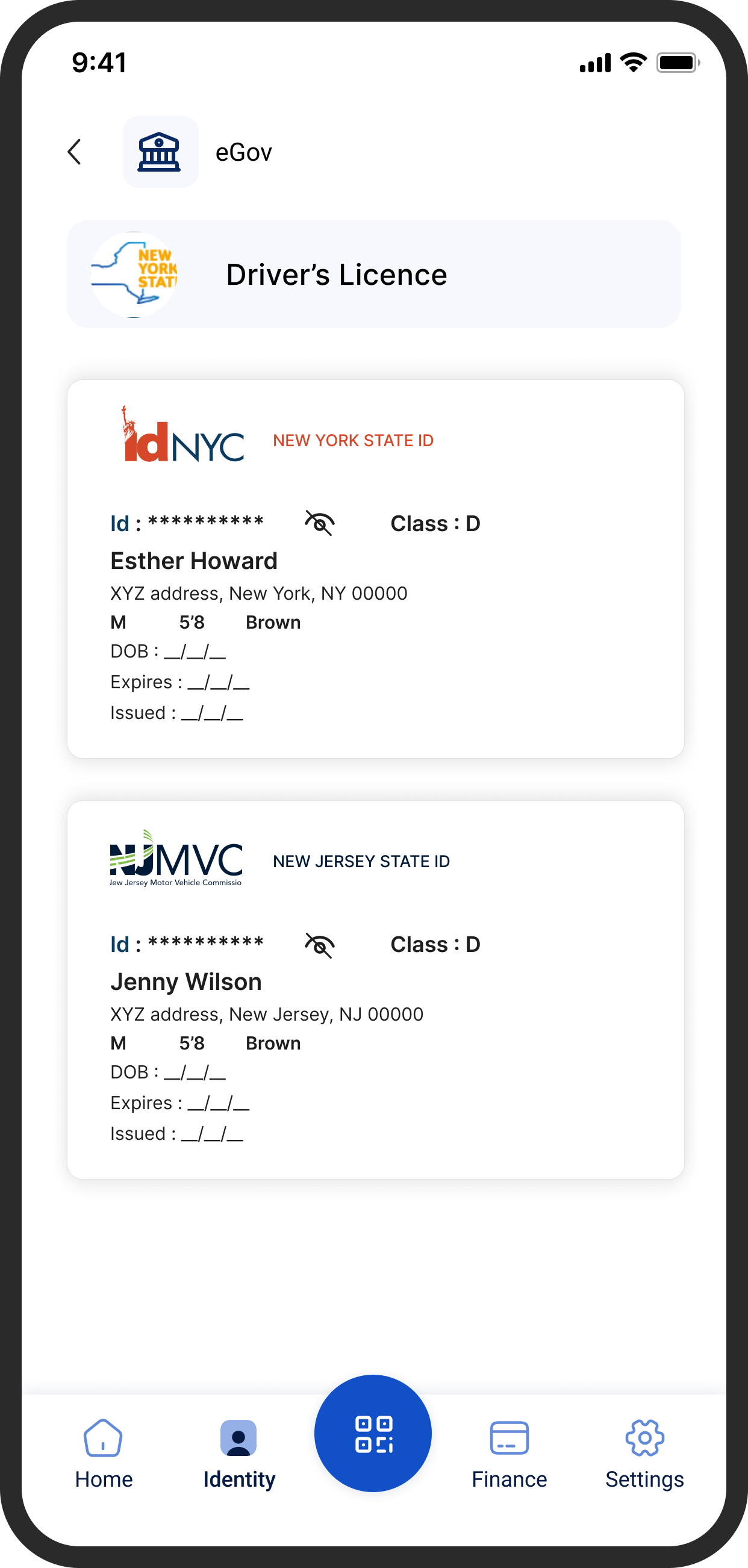
“I stopped getting lost. Having a direct Identity tab makes everything in one place now.”- User after navigating the redesigned identity flow
I introduced a dedicated Identity tab in the bottom navigation, transforming SmartID’s core value into a single, intuitive hub. This experience shifted from scattered and confusing to predictable and user-driven, allowing users to access, view, and manage all digital IDs in one seamless flow.
- the numbers that defined success
FINAL RESULT

12% Increase
Achieved a 12% increase in action button clicks required to complete each task.

20% Increase
A 20% increase in the findability of features and completion of goal points throughout the product.

15% Improvement
A 15% improvement in flow smoothness, enhancing overall user experience and interaction efficiency.

40% Time Reduce
5.6s to navigate through a task, a significant improvement from the previous 9.4s.
- always a learner
KEY TAKEAWAY AND LEARNINGS

The Power of Subtle Shifts
Relocating the navigation to the left and optimizing the information hierarchy significantly improved usability without requiring a complete system overhaul. (Highlights impact from targeted changes)

Scalability Through Design
Implementing a structured, collapsible navigation was critical for scalability, enabling the system to adapt to evolving user needs and growing data complexities. (Emphasizes importance of scalability).

Collaboration Shapes Success
Closing understanding different perceptions and perspectives with developers and stakeholders reinforced how aligning design with business and technical needs.
Browse more work


Finance Multipayment hub

Revamped SmartID’s Finance Flow to streamline multi-payment actions, reducing steps by 40% and improving user control across transactions.

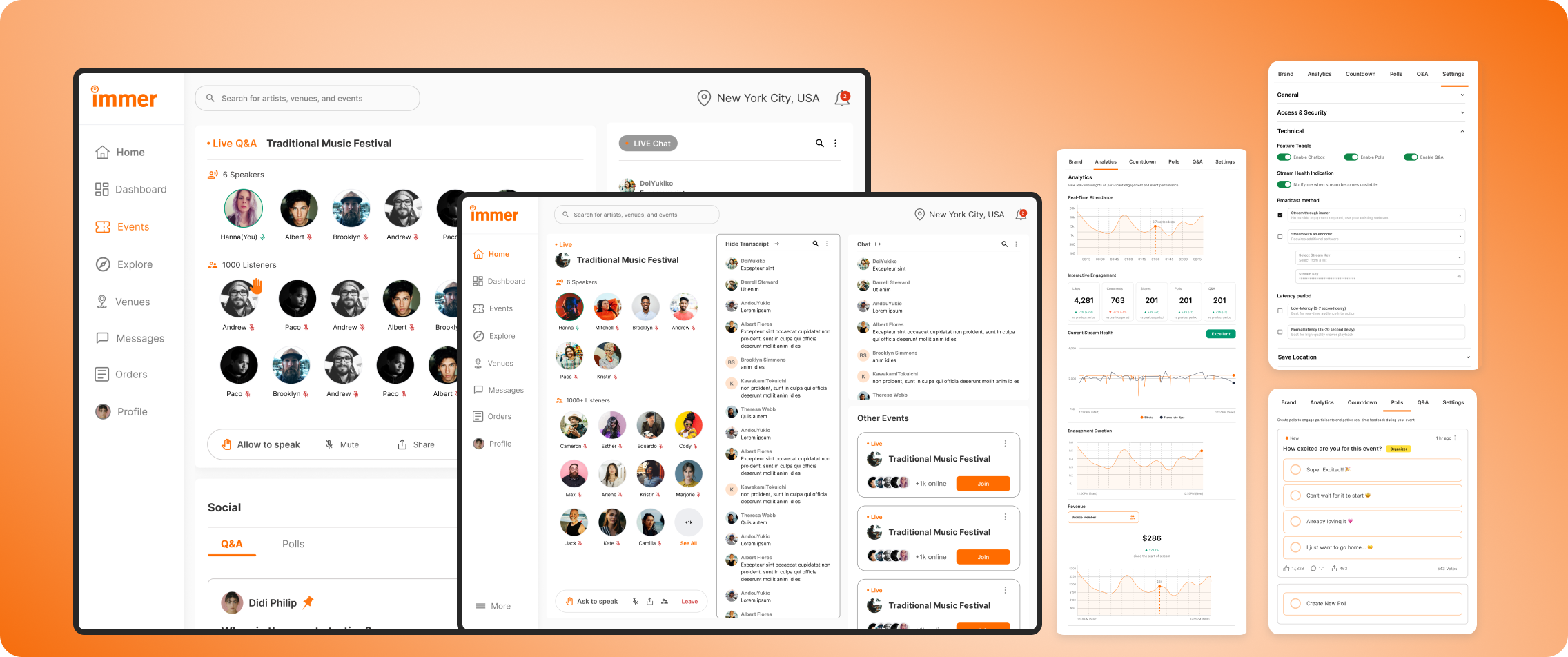
Live Audio Chat & Real-Time Engagement
Researched and redesigned the organizer experience for an event services and ticketing app, improving user flows, incerasing user engagement by 22%, and enhancing usability testing.

x

Research to Live Project design
Designed an POS Admin dashboard that unified orders, analytics, and AI insights helping store owners turn data, reports into effortless business clarity


Designing Trust: Shoptaki’s Secure Identity Hub
Led the redesign of SmartID, rebuilding its flow around trust, usability, and simplicity to help users manage their digital identities with ease
MY ROLE
Product Designer
TIMELINE
6+ months | 4 phases to launch
TEAM
4 Designers, 2 Product Managers, 4 Developers, 4 Data Analyst
PROBLEM
Users felt insecure uploading personal IDs and struggled to find them once added. The fragmented flow increased clicks, wasted time, and weakened the product’s core value of secure identity management.
OUTCOME
I transformed the identity experience into a centralized, privacy-first hub, introducing photo-free data extraction. Through iterative testing and design refinements, the flow became simpler and easier for users to trust and navigate.
-where I started
SPOTTING WHAT WASN'T WORKING
Before I began the redesign, SmartID already had identity pages in place, but they didn’t work the way they should. The ID feature that was meant to be the USP of the product, secure, accessible IDs, was buried behind complexity.
Instead of trust and simplicity, the experience felt fragmented.
Objective
Design a secure identity experience that gives users confidence and control, allowing them to manage their ID’s without worrying about unauthorized access and exposing personal information.
Challenge
Making IDs the core focus as well as the USP of the product and easily accessible in the app. Users struggled to quickly access, trust, and manage their IDs, highlighting the need for a clearer, more intuitive identity flow, hindering the user experience and requiring a design solution that prioritized ease of navigation.
- the turning point
INVESTOR MEET AND FEEDBACK
When I presented SmartID’s early designs to investors, the reaction echoed what I had already seen in usability tests.
The GAP was visible to everyone
-usability tests showed users didn’t trust the flow, and investors echoed the same concern: “Where’s the clear ID value?”
The REALIZATION
-the issue wasn’t polish; the very USP of SmartID was missing. What was needed wasn’t a patch, but a complete redesign of the identity experience.
-researching what mattered the most
USER PAIN POINTS
Noted pain points and design gap
Hidden Pathways
Core ID features were buried behind drop-down and extra clicks, making the main USP hard to access.
Cognitive Overload
Cluttered categories and long lists hid key tasks like “Add Passport,” forcing users to pause.
Broken USP
Instead of seamless ID management, the flow created friction and mistrust, the product’s core value was lost.
-testing, wireframing, refining
THE REDESIGN JOURNEY
User research before changes : Older Design testing metrics
- USABILITY INSIGHTS: WHAT DIDN’T WORK, WHY IT DIDN’T AND WHATS NEXT •
12 Participants were interviewed
42%
Task success
12.7s
Avg. time per task
64/100
User satisfaction score
Discovered Pain Points
Users struggled to locate key ID functions within the main navigation.
Validated Observations
Participants intuitively searched for identity-related actions within a central space.
Here is what I started to redesign
01
Users lacked trust in the ID upload flow. The process felt opaque, leaving them uncertain about how their personal data was stored, shared, and secured.
01
OLD INTERFACE DESIGN
02
Users struggled to locate and manage their IDs within the app. The older design buried easy ID access under multiple screens and lacked a clear, centralized hub. Without intuitive navigation, what should have been a simple action viewing all IDs in one place turned into a frustrating, time-consuming process.
01
OLD INTERFACE DESIGN
Turned user concerns into design priorities

Privacy-First Approach
Implement data extraction without storage to protect user privacy.
Designing the path forward with wireframes

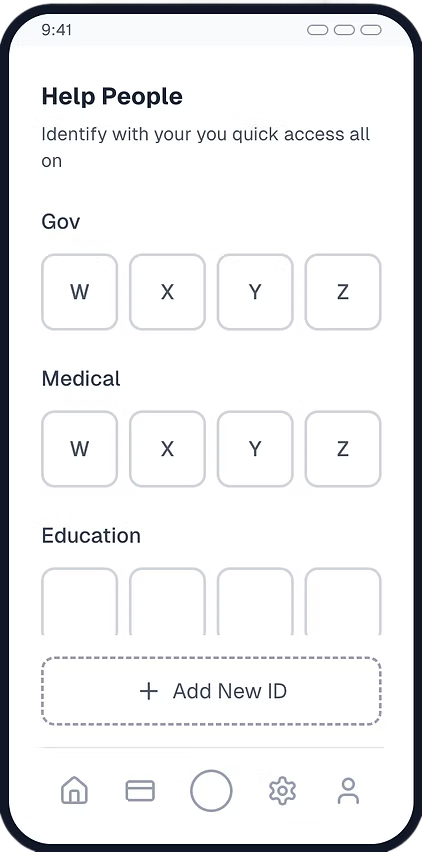
1. Quick ID Page
Unified ID Hub: A single dashboard providing quick access to all digital IDs in one place.
Frictionless Navigation: Instantly switch, view, or manage IDs—designed for speed and clarity.
- ID Access Dashboard
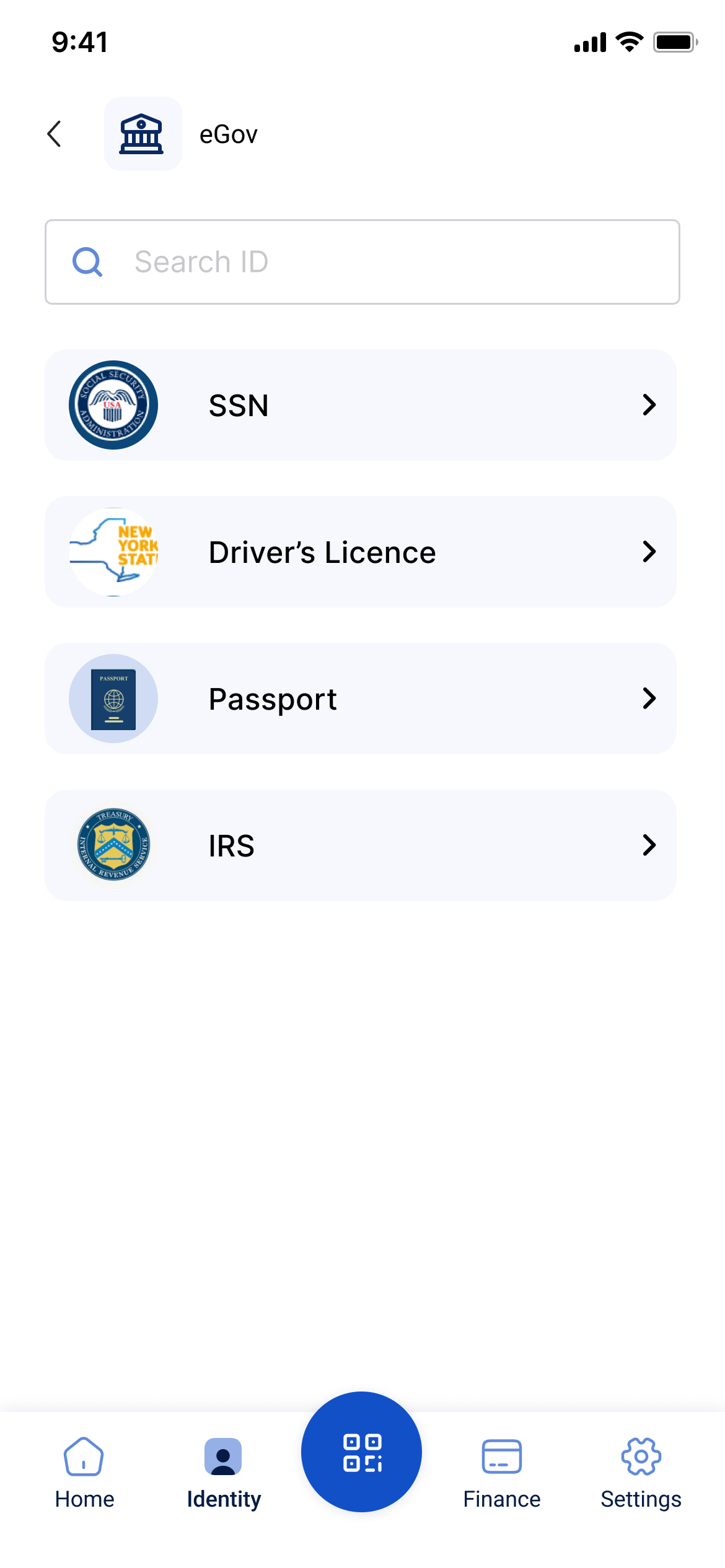
Centralized hub displaying all digital IDs (Driver’s License, Passport, etc.).
“Add New ID” feature promotes easy expansion and quick retrieval.

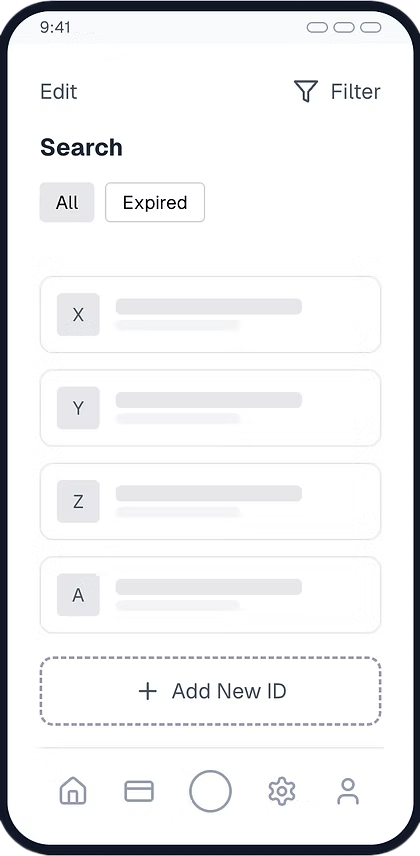
3. Search & Filter
Simplified ID search with “All” and “Expired” filters for easy updates.
Clear visual hierarchy ensures faster navigation for critical IDs.
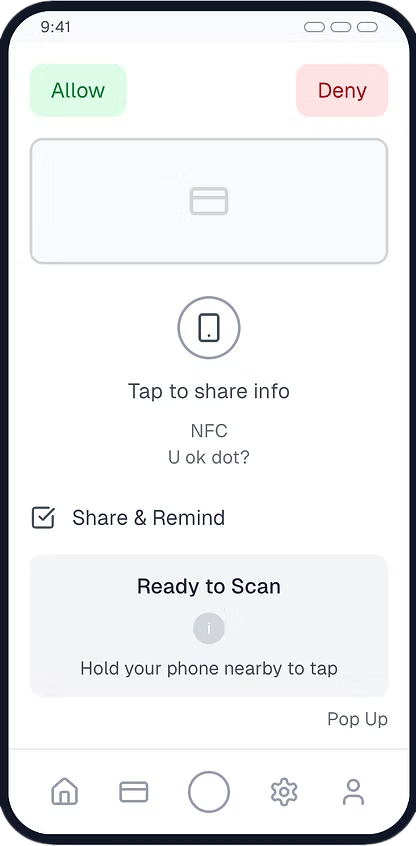
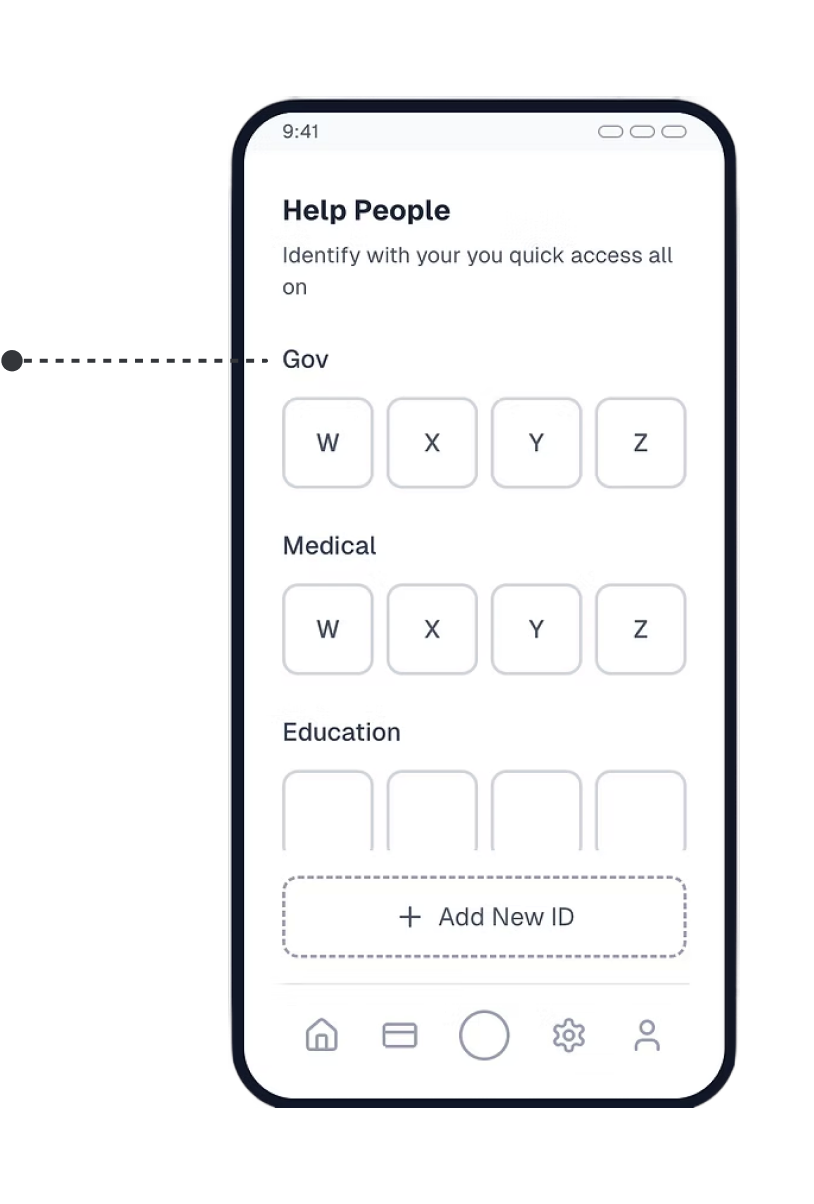
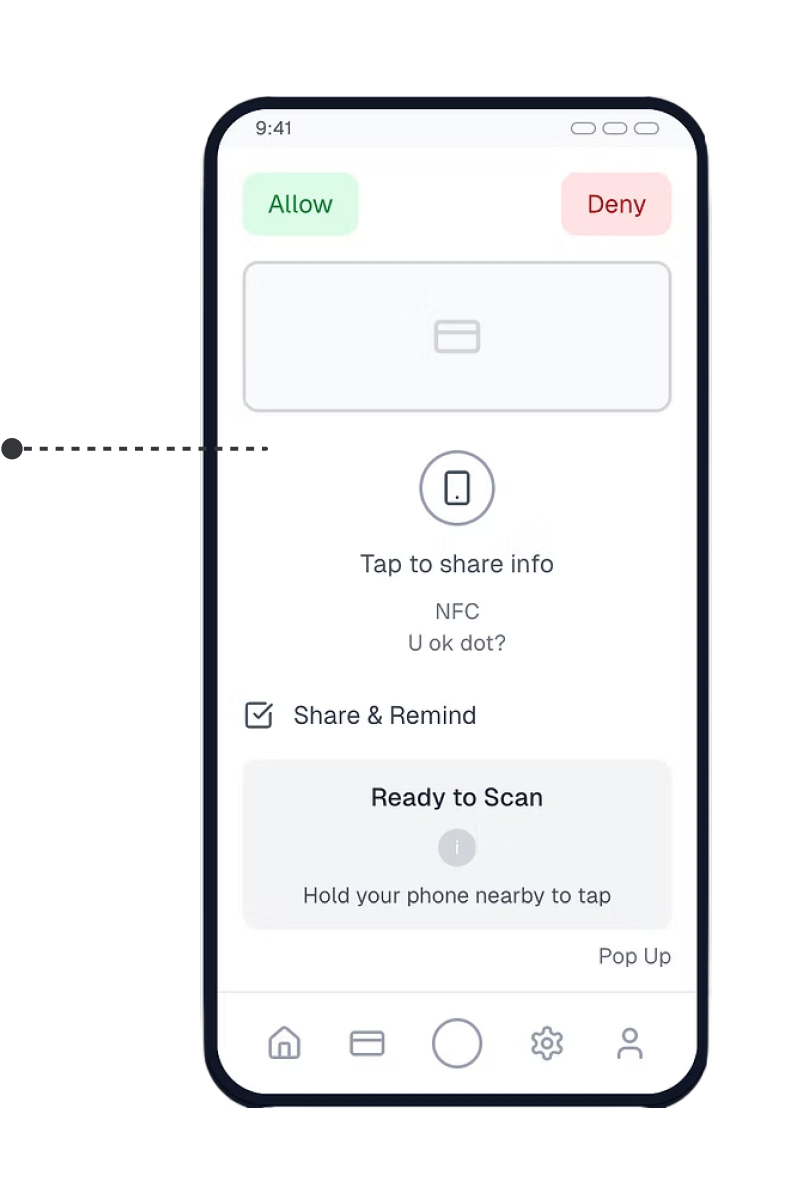
4. Assistance & Sharing
“Help People” tab enables quick sharing for dependent verification (e.g., family or medical purposes).
NFC-based “Tap to Share” ensures secure, one-touch identity verification.

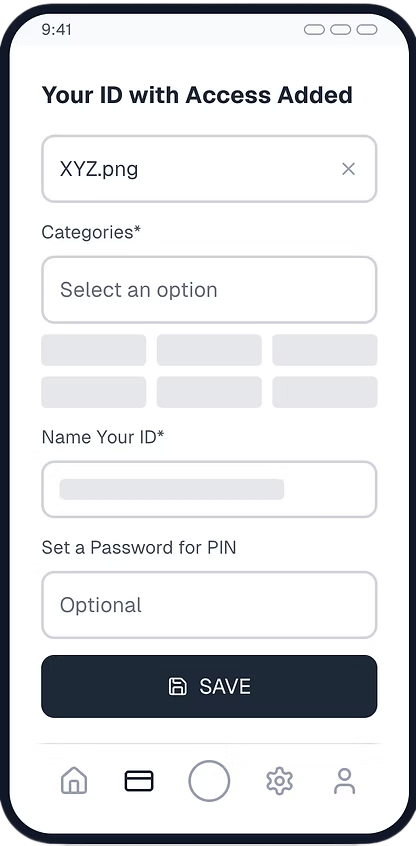
5. Add ID
Streamlined ID Upload: Users can quickly add, name, and categorize new IDs in one intuitive flow.
Built-in Privacy Controls: Optional PIN setup ensures each ID stays secure and personalized.
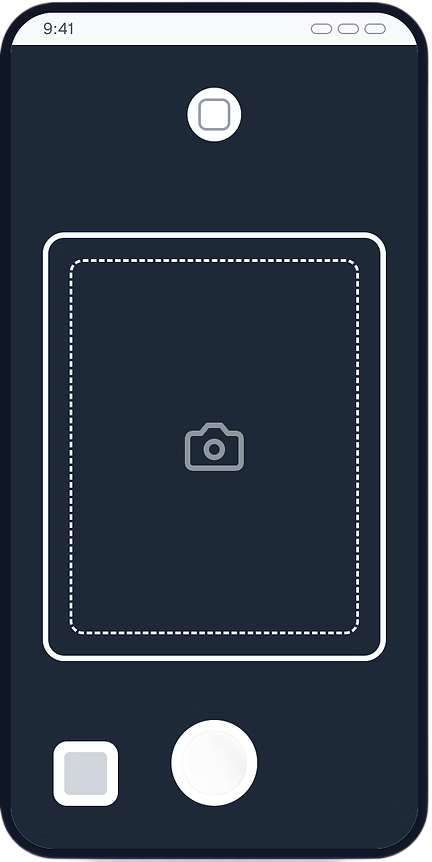
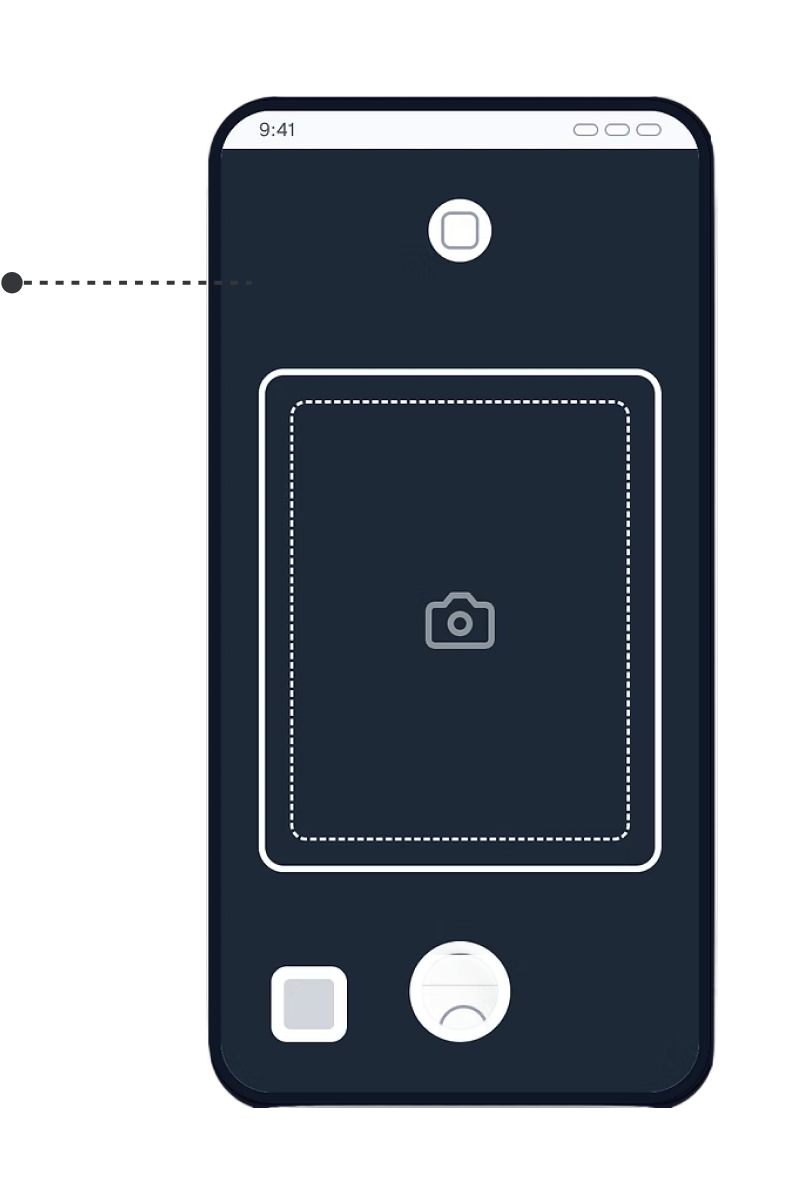
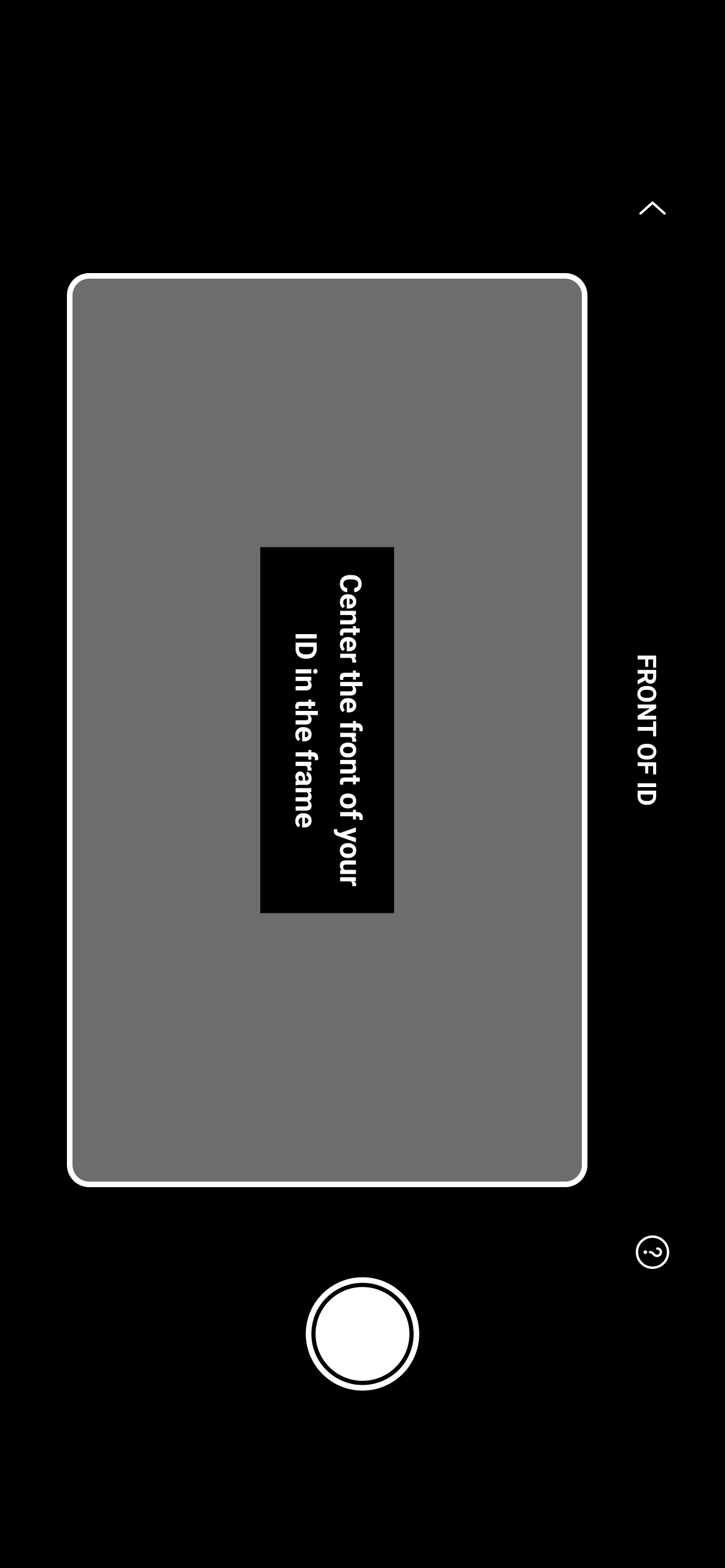
6. Image-Free Data Capture
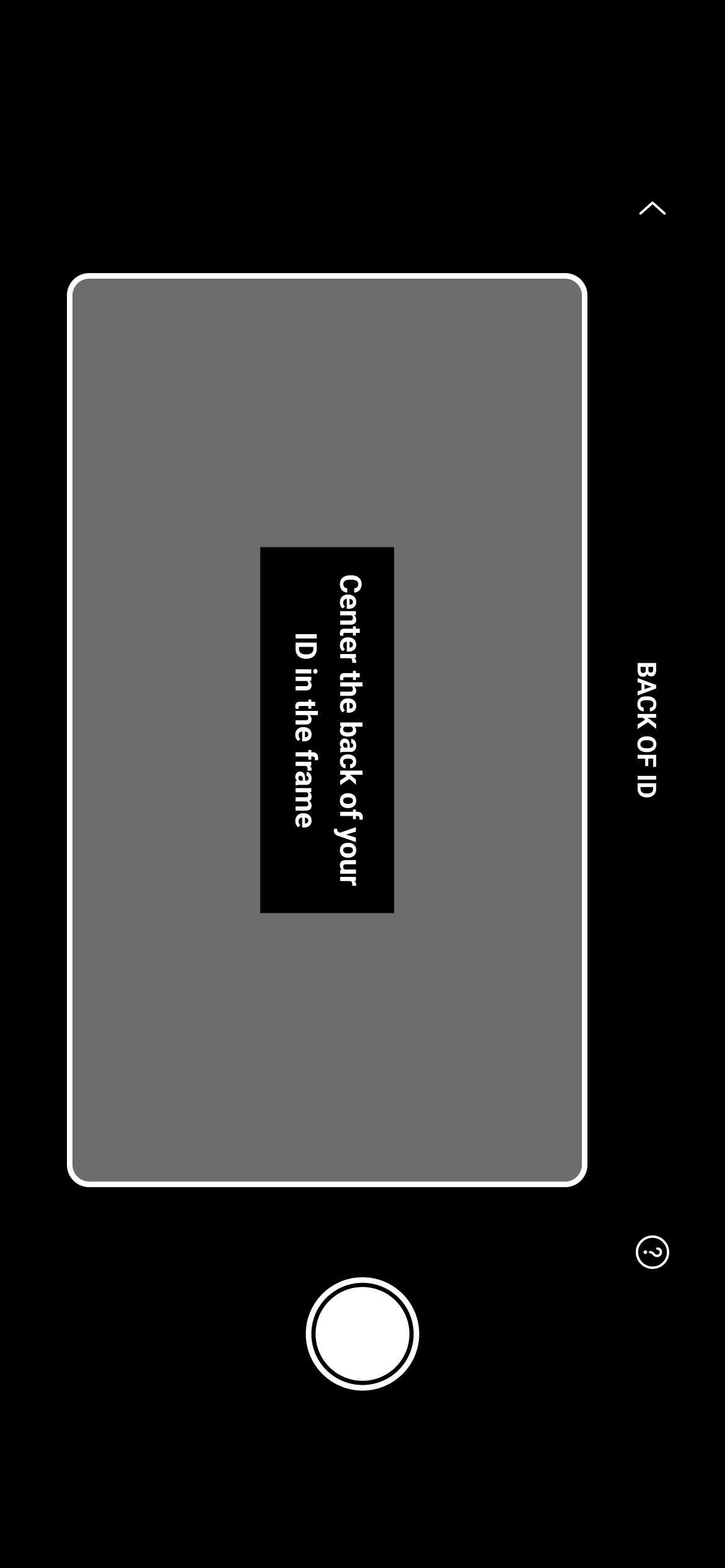
Camera interface enables secure data extraction without storing photos.
Designed to enhance user trust and privacy compliance.
//WIREFRAMES
Final design outcome
Designed a privacy-first solution by enabling data extraction without image storage, increasing user trust.
Validated solutions through iterative testing, ensuring seamless integration while balancing technical feasibility and business goal
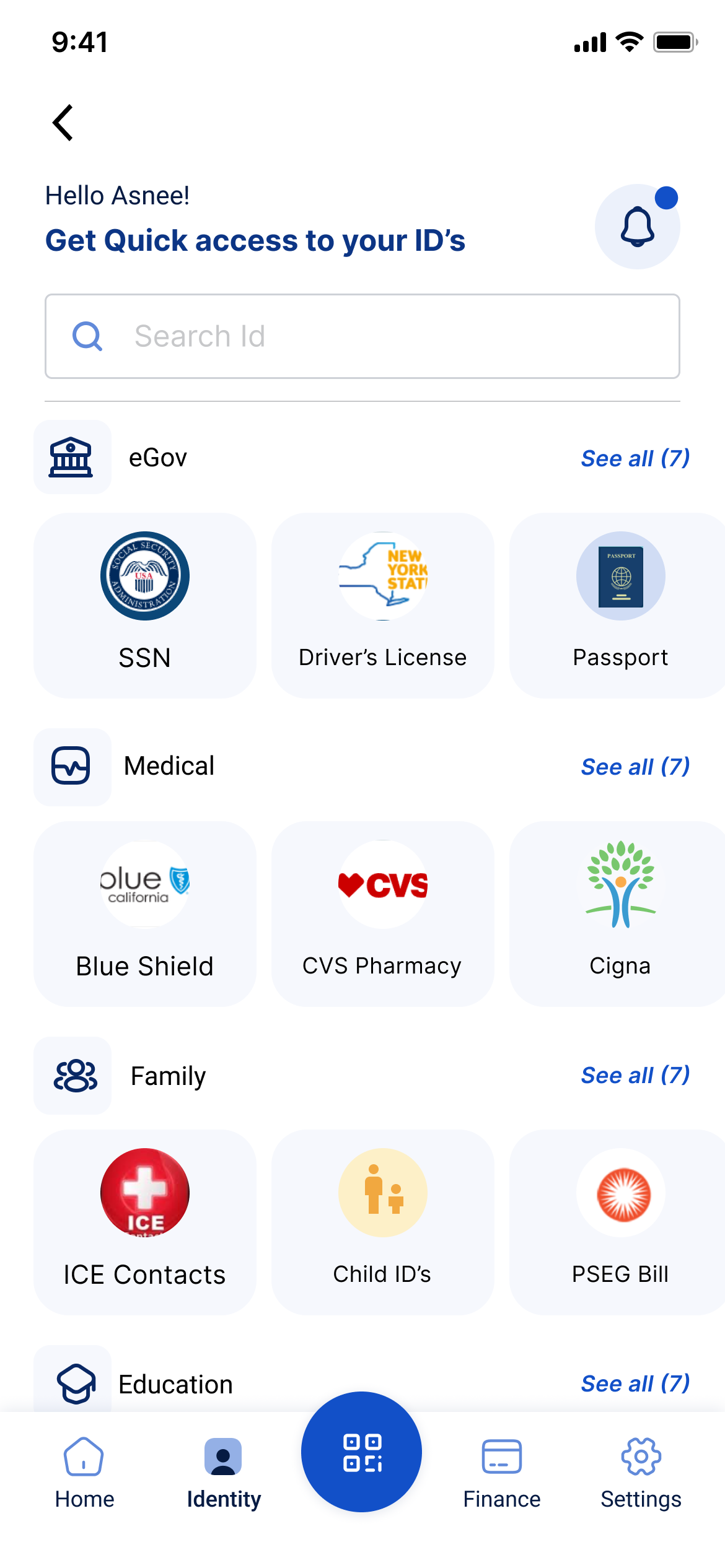
UPDATED NAVIGATION LAYOUT
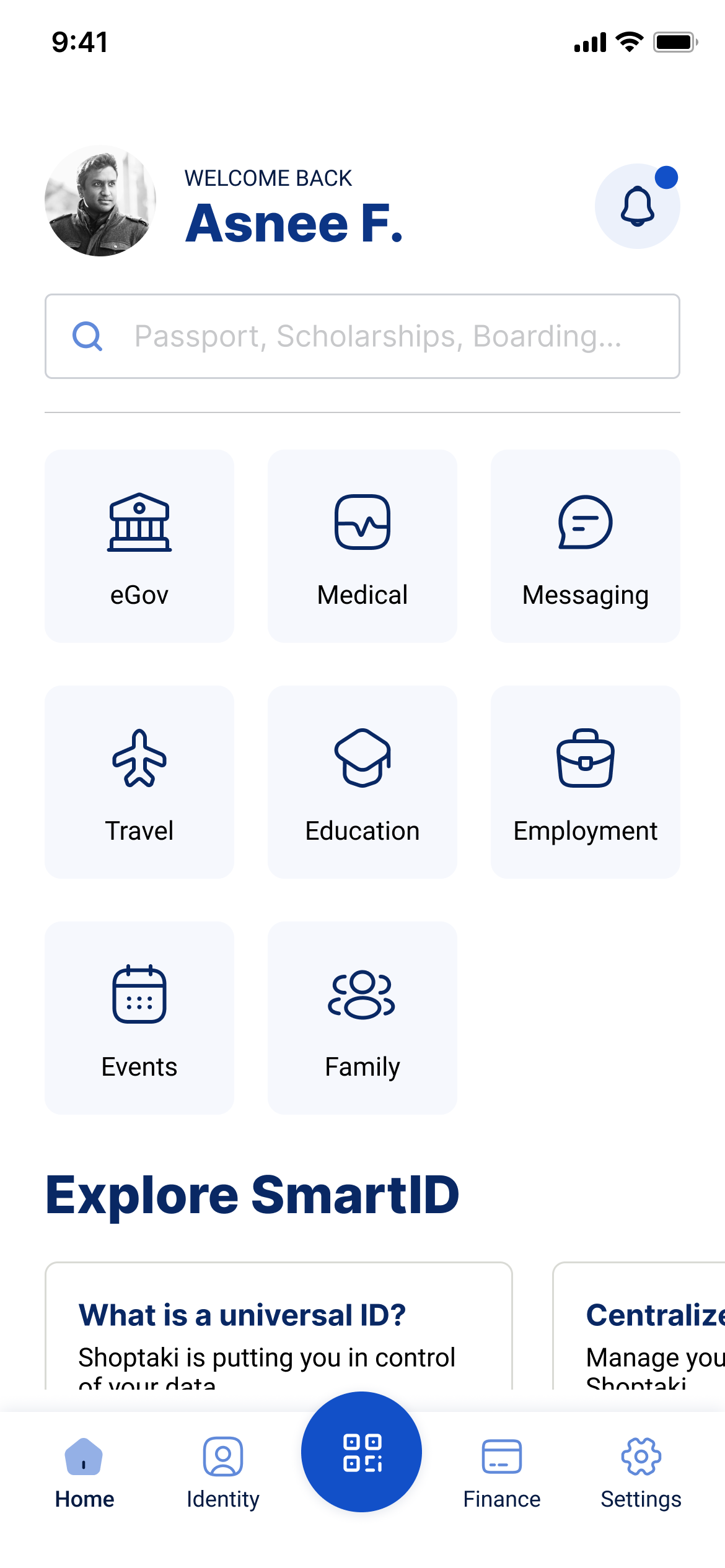
Centralized identity access to make switching, verifying, and managing IDs effortless.

IMAGE FREE DATA EXTRACTION
Implemented image-free data extraction to protect privacy allowing users to verify identity securely without storing personal photos.

SOLUTIONS
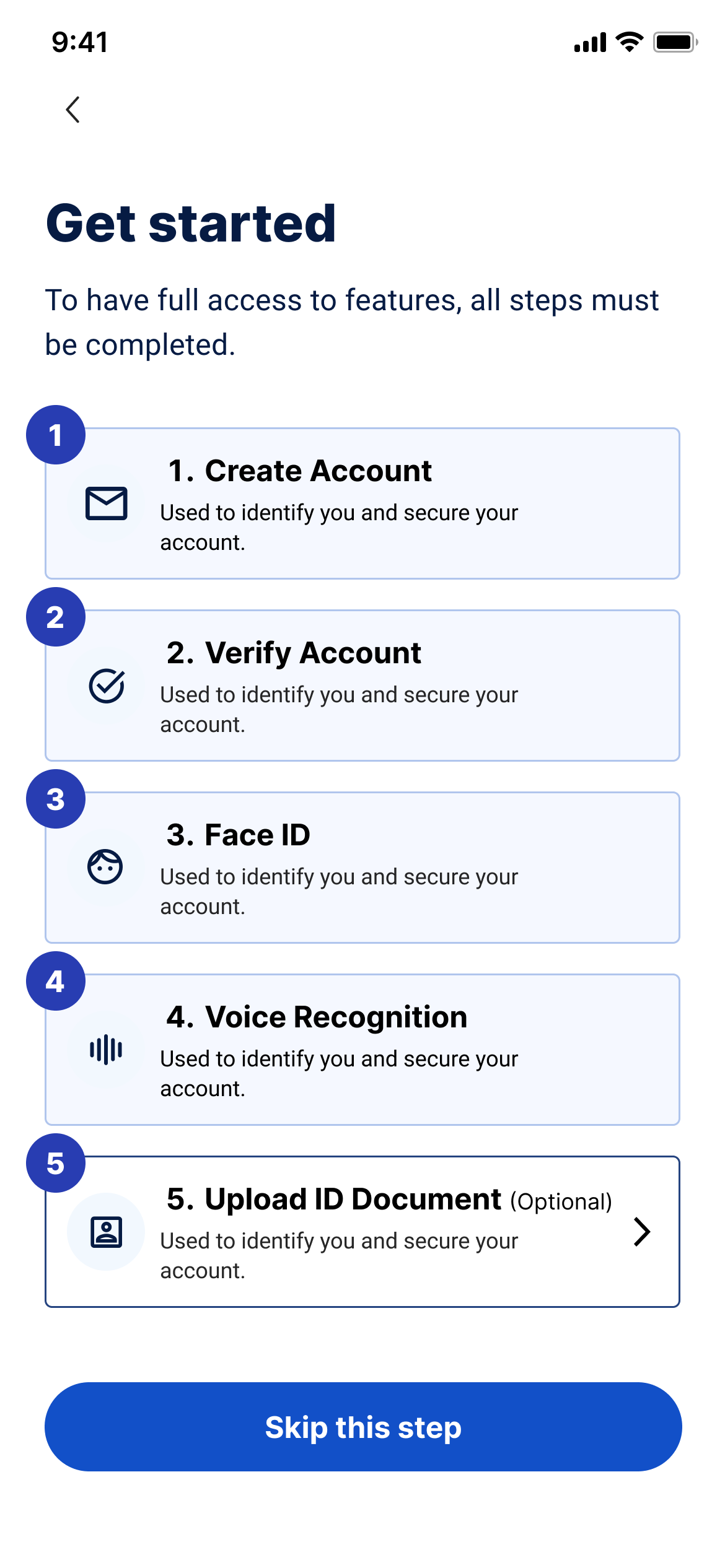
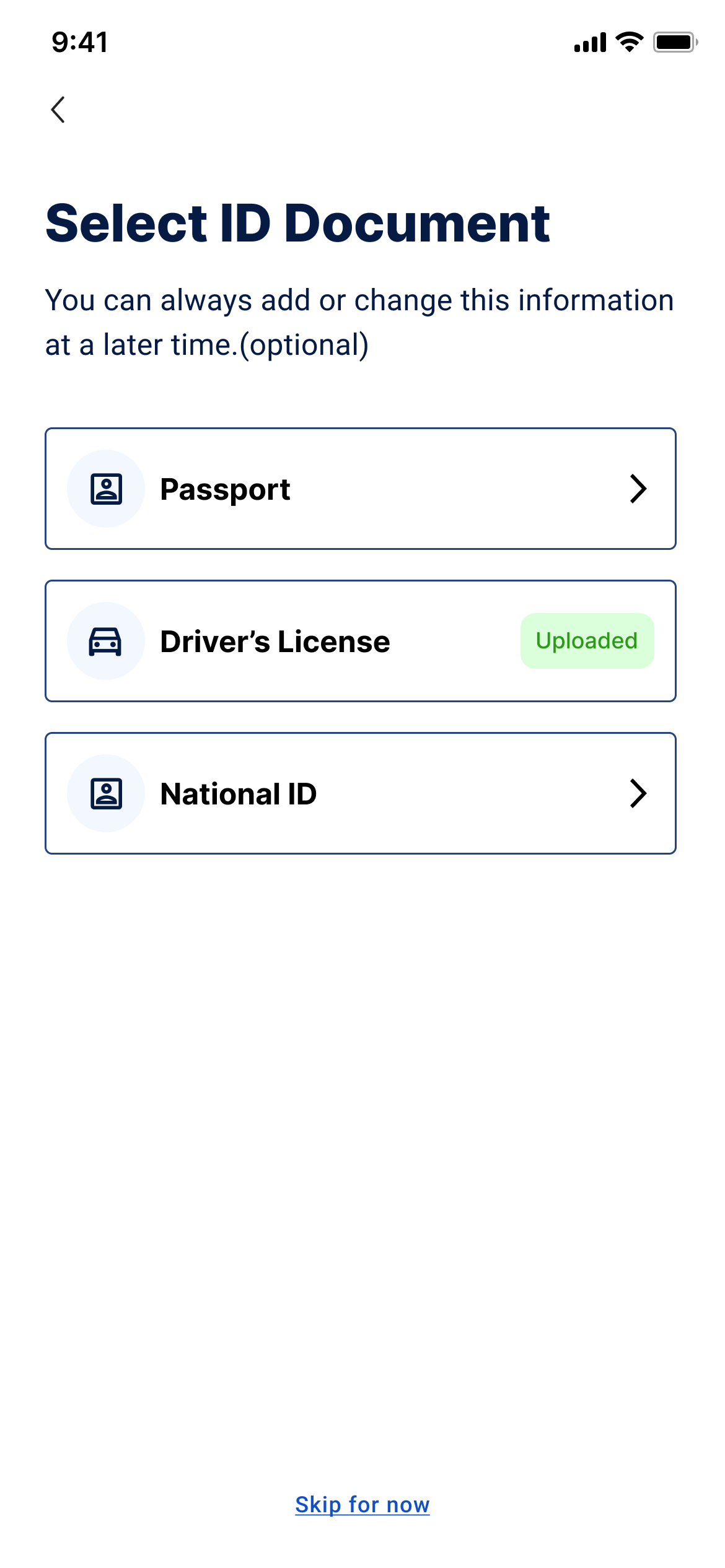
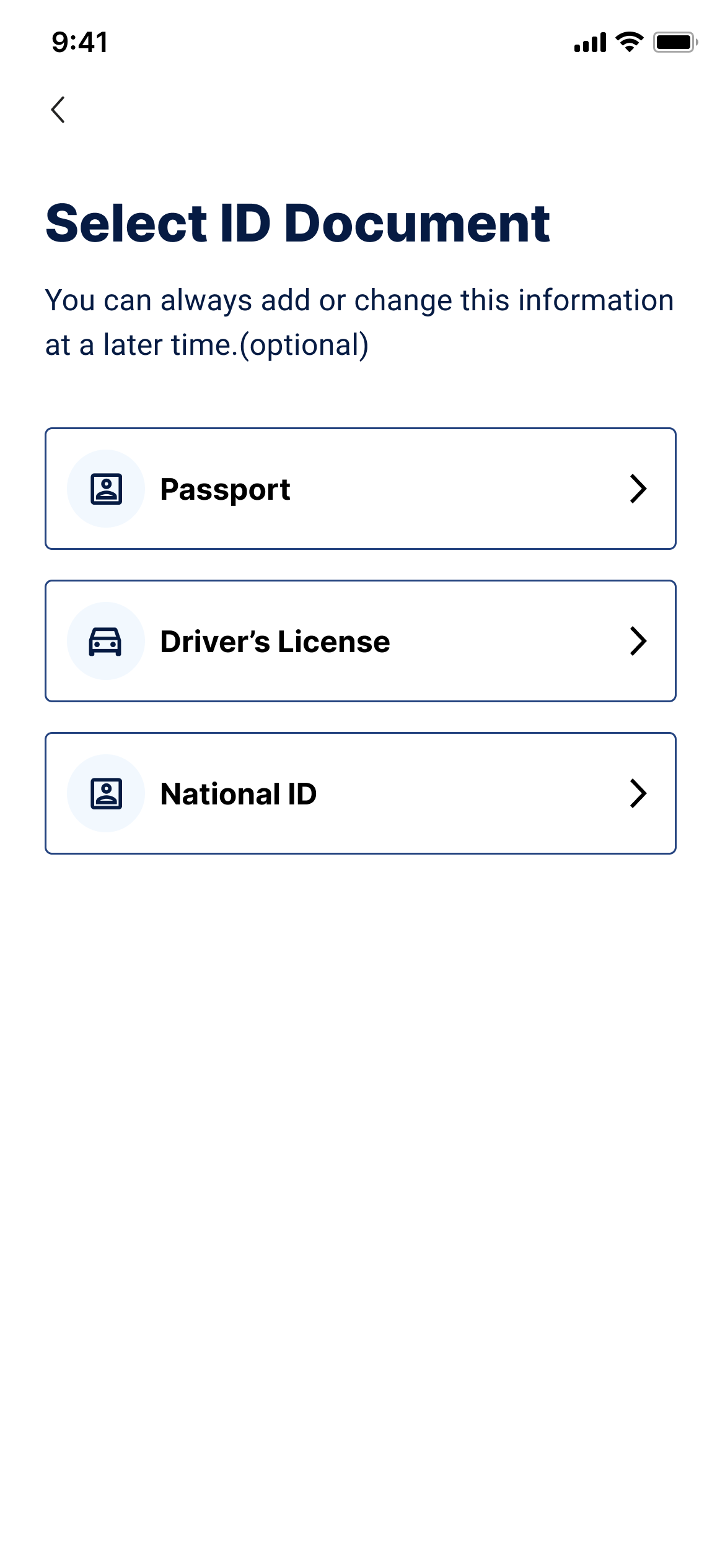
01
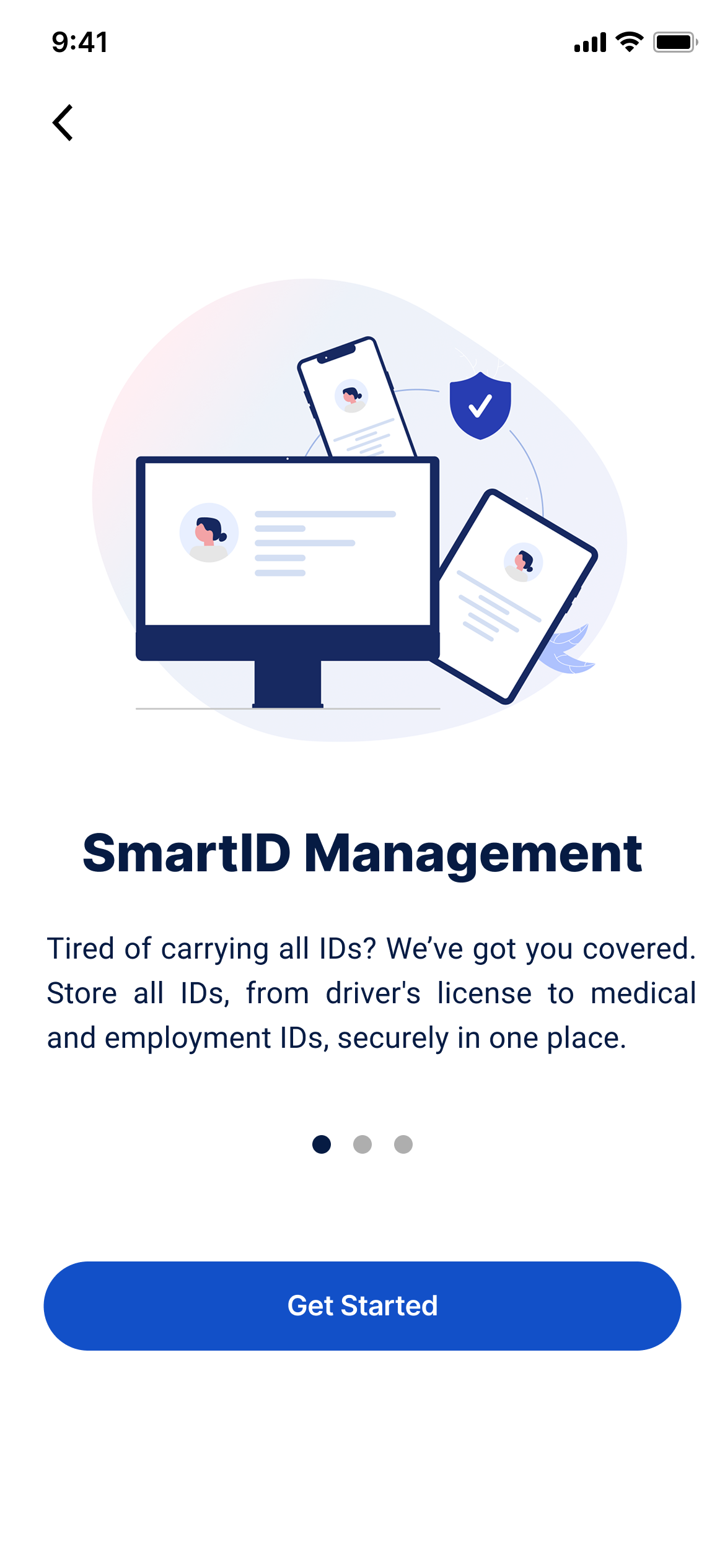
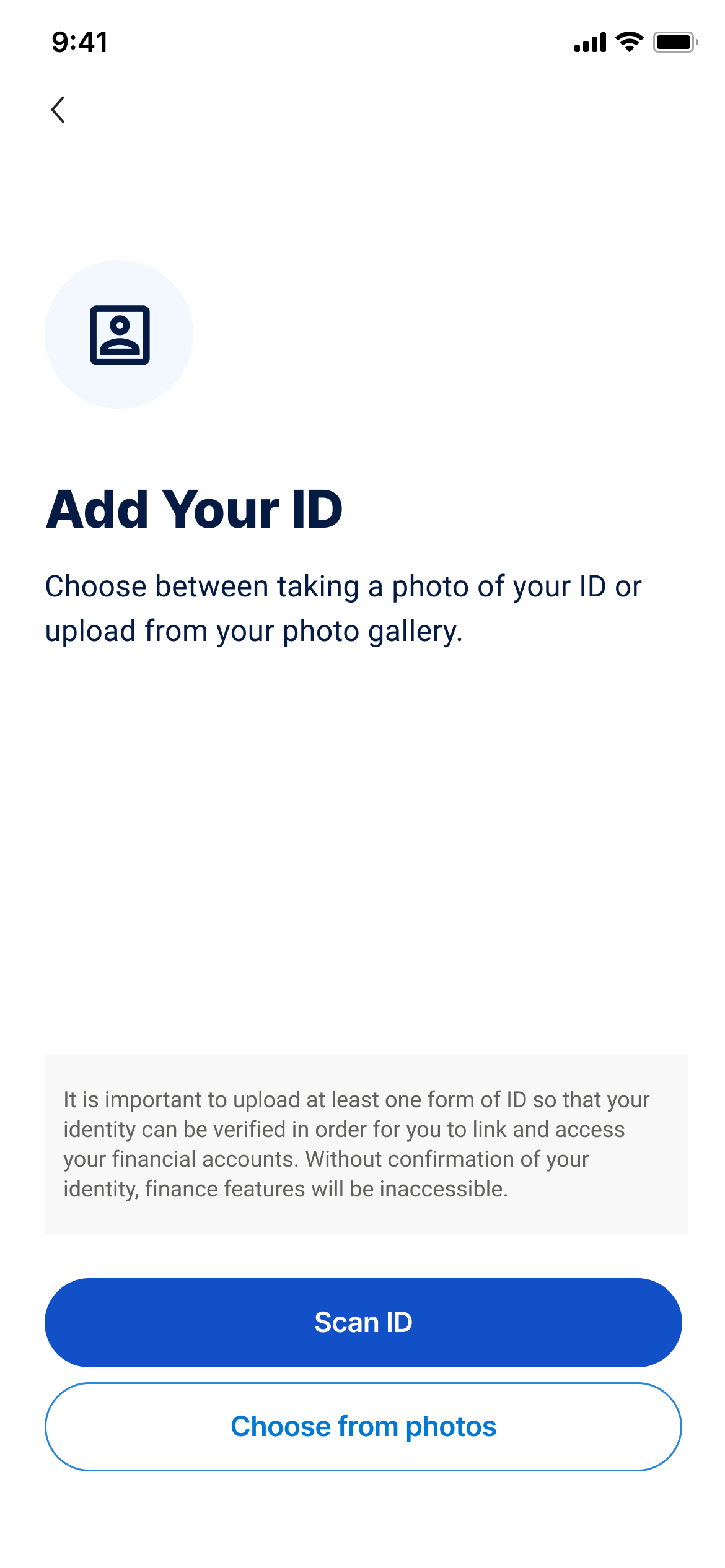
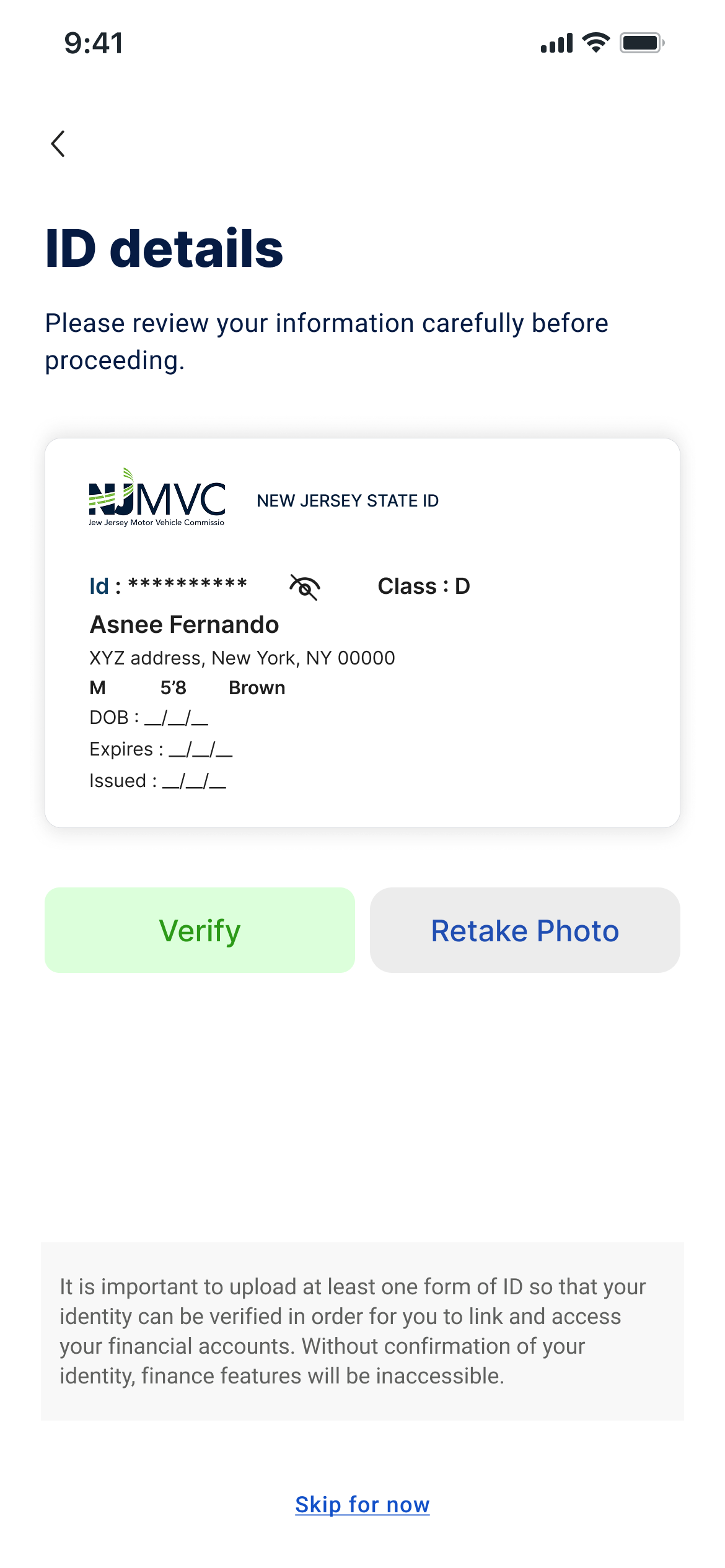
“I felt much more comfortable using the platform once I knew my photo wasn’t being stored. The digital ID card was clear, quick, and felt secure.”- User after testing the updated identity verification flow
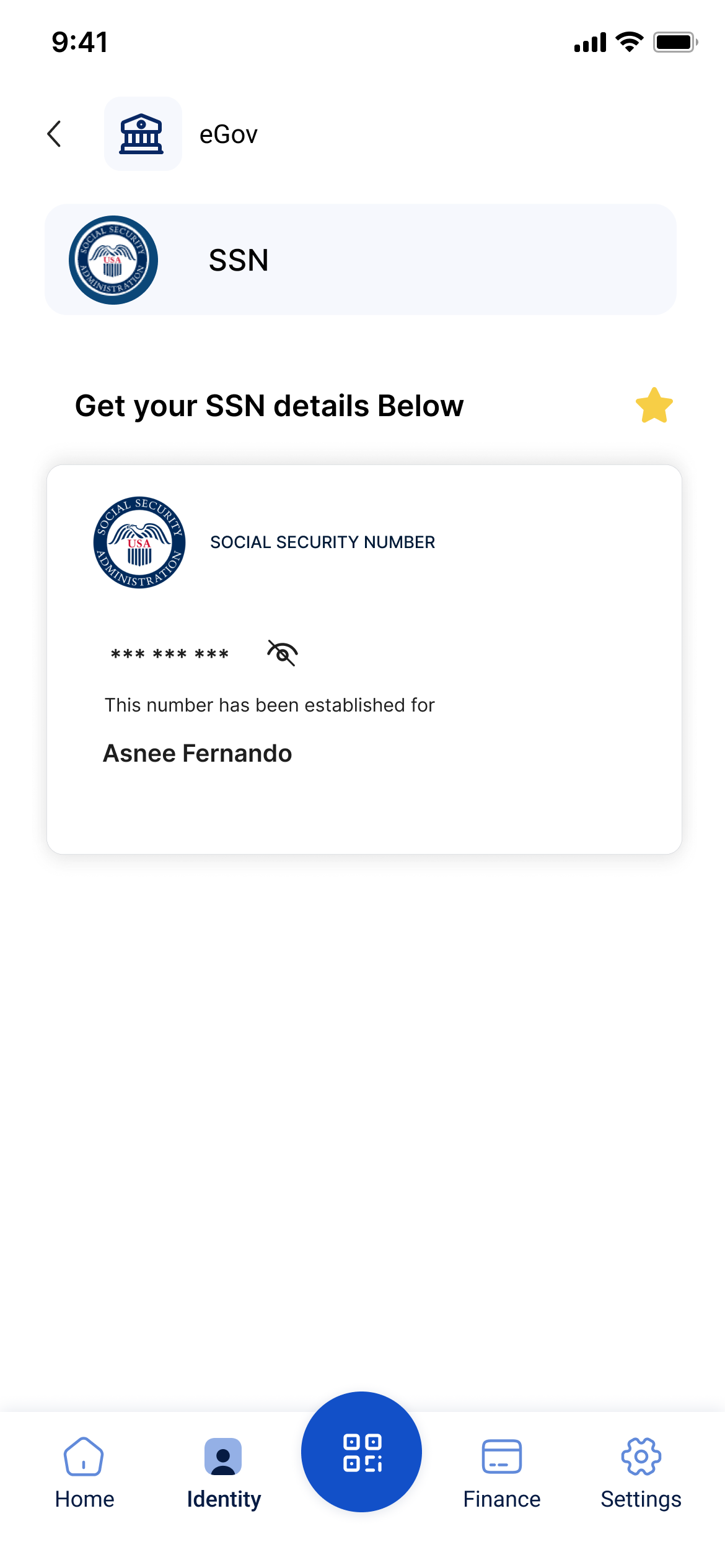
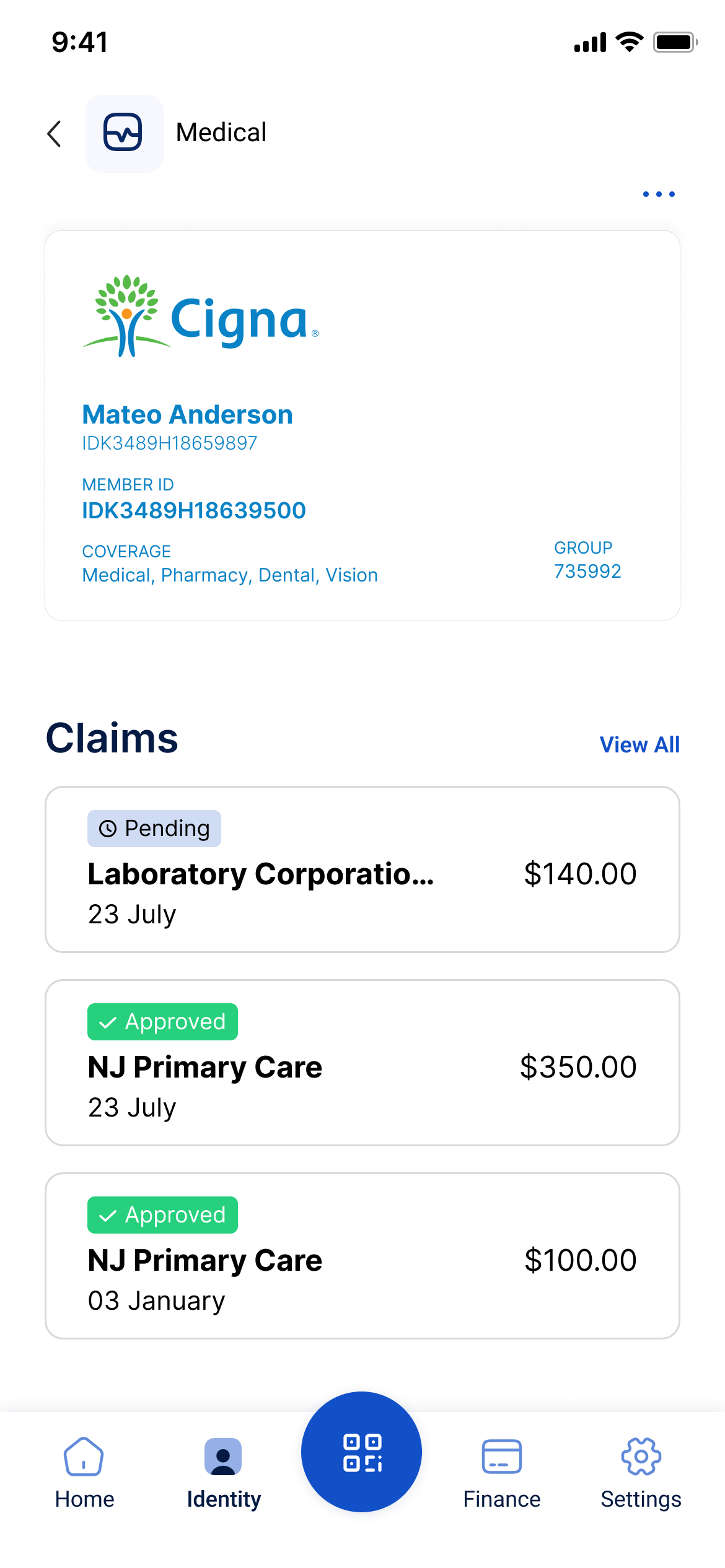
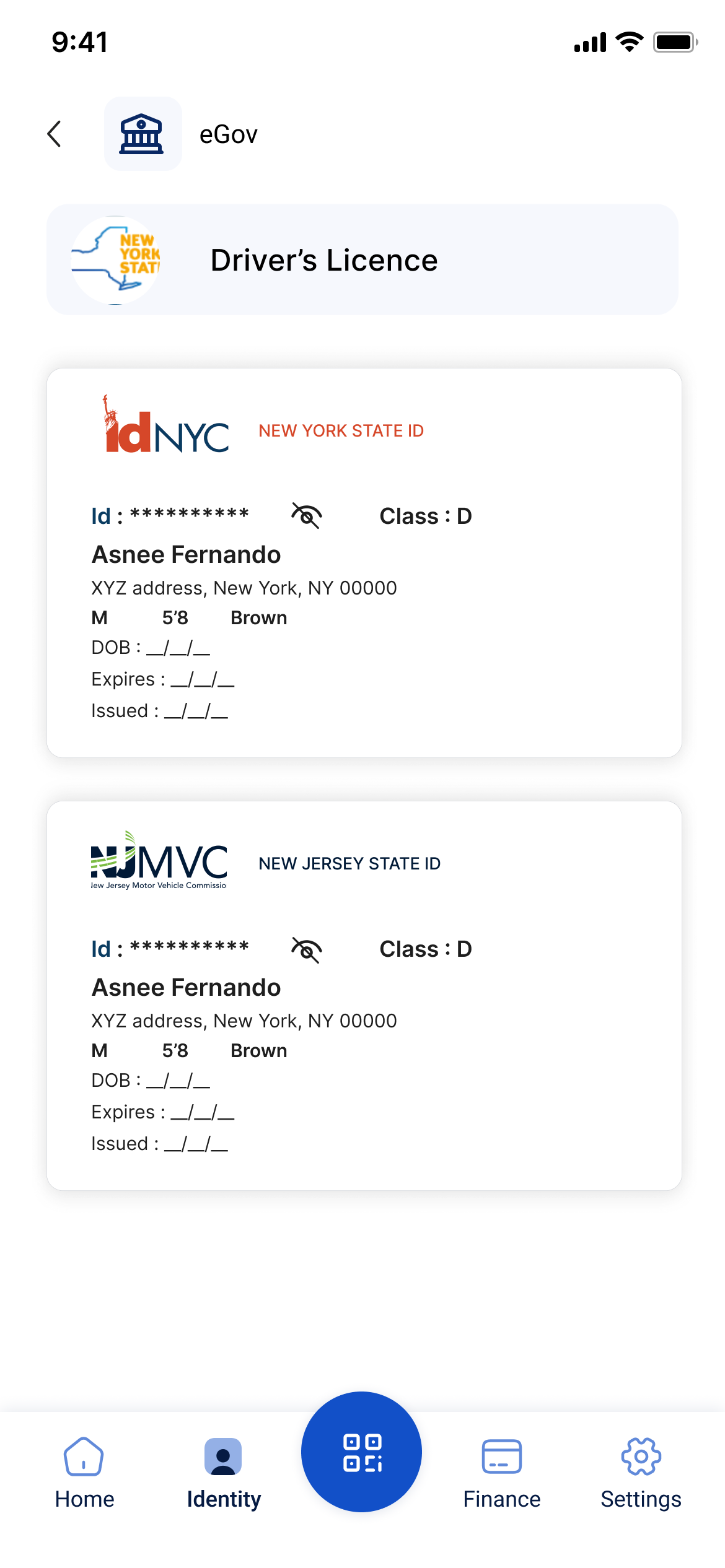
Implemented a secure real-time data extraction method that pulls only the required information from ID photos without storing the images, protecting user privacy.
//HIFI DESIGNS
02
“I stopped getting lost. Having a direct Identity tab makes everything in one place now.”- User after navigating the redesigned identity flow
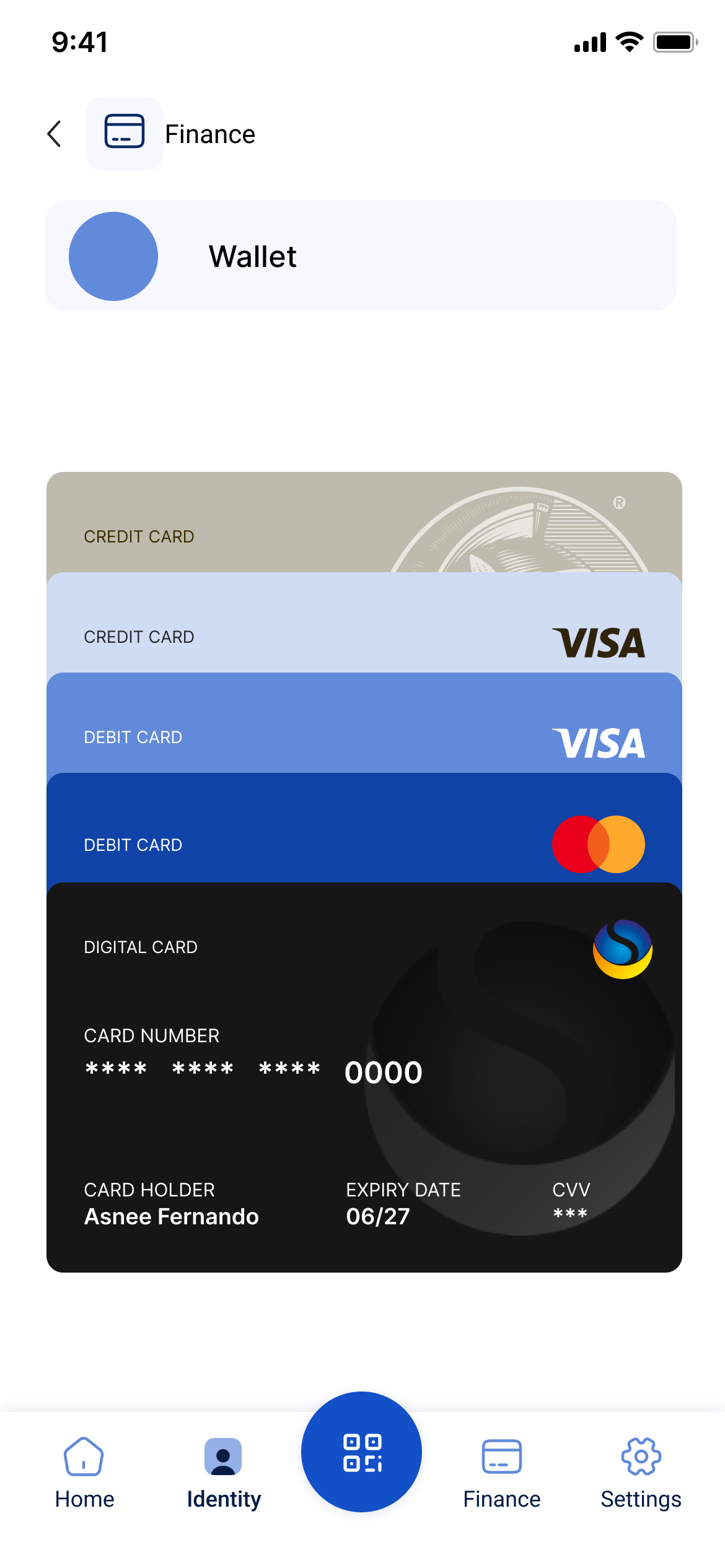
I introduced a dedicated Identity tab in the bottom navigation, transforming SmartID’s core value into a single, intuitive hub. This experience shifted from scattered and confusing to predictable and user-driven, allowing users to access, view, and manage all digital IDs in one seamless flow.

//HIFI DESIGNS
- the numbers that defined success
FINAL RESULT
12% Increase
Achieved a 12% increase in action button clicks required to complete each task.

20% Increase
A 20% increase in the find ability of features and completion of goal points throughout the product.
15% Improvement
A 15% improvement in flow smoothness, enhancing overall user experience and interaction efficiency.
40% Time Reduce
5.6s to navigate through a task, a significant improvement from the previous 9.4s.
- always a learner
KEY TAKEAWAY AND LEARNINGS
The Power of Subtle Shifts
Relocating the navigation to the left and optimizing the information hierarchy significantly improved usability without requiring a complete system overhaul. (Highlights impact from targeted changes)
Scalability Through Design
Implementing a structured, collapsible navigation was critical for scalability, enabling the system to adapt to evolving user needs and growing data complexities. (Emphasizes importance of scalability).
Collaboration Shapes Success
Closing understanding different perceptions and perspectives with developers and stakeholders reinforced how aligning design with business and technical needs.
Browse more work
Built Trust
Product Designer
User Research
B2B
SaaS
Most impactful
Finance Multipayment hub
Revamped SmartID’s Finance Flow to streamline multi-payment actions, reducing steps by 40% and improving user control across transactions.
Built Emotion
UX/UI Design
User Research
B2C
SaaS
Entertainment service
Most impactful
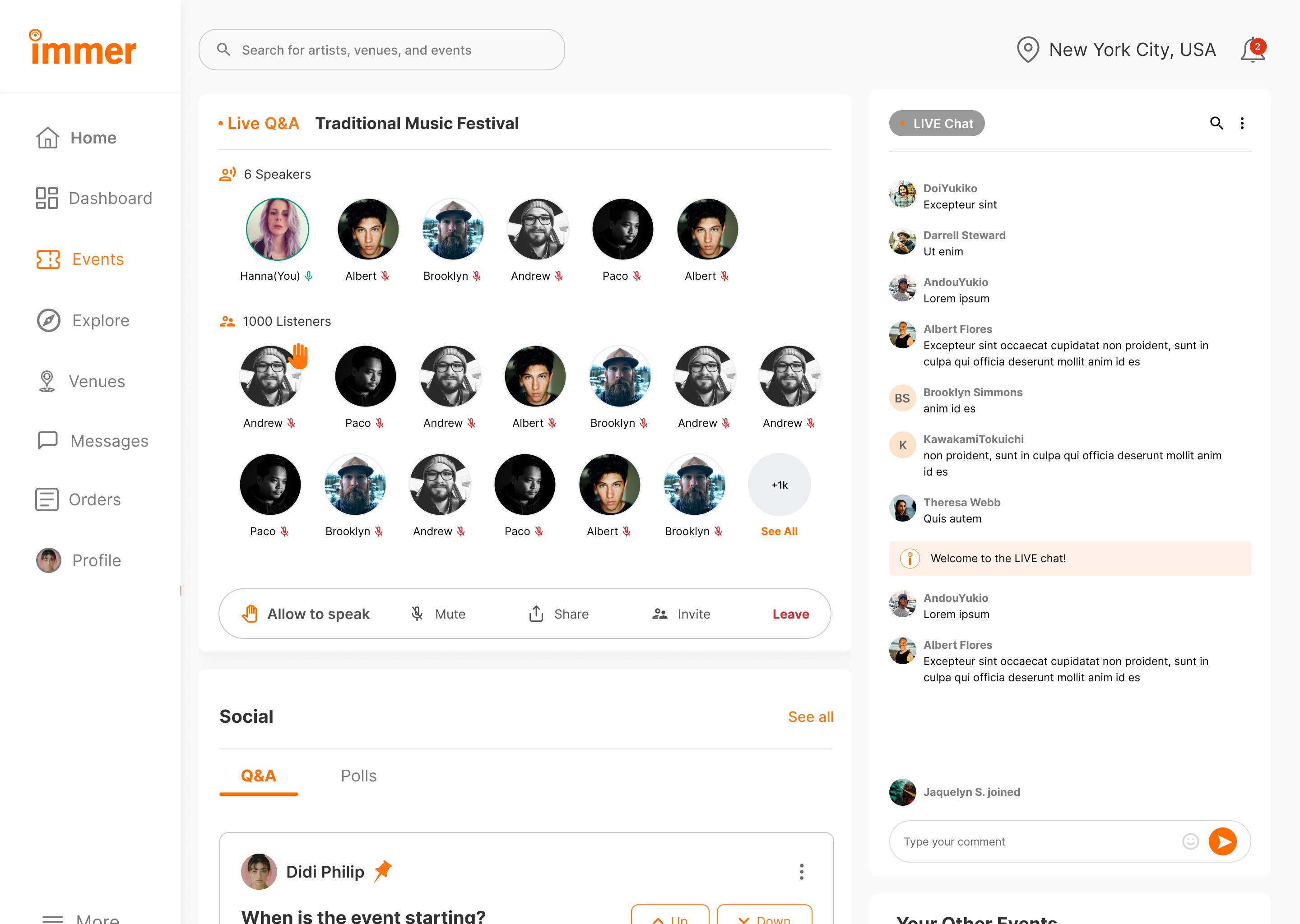
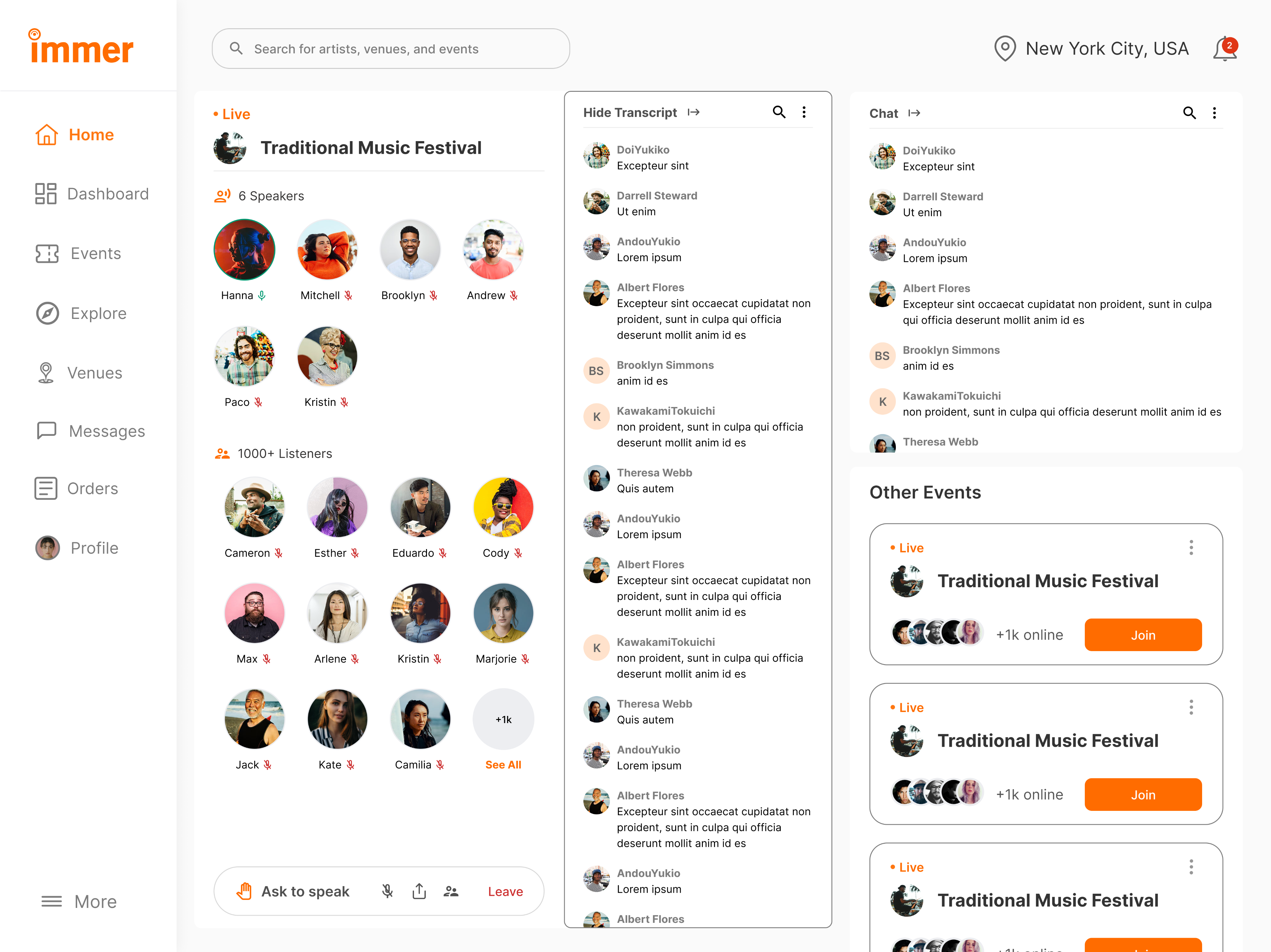
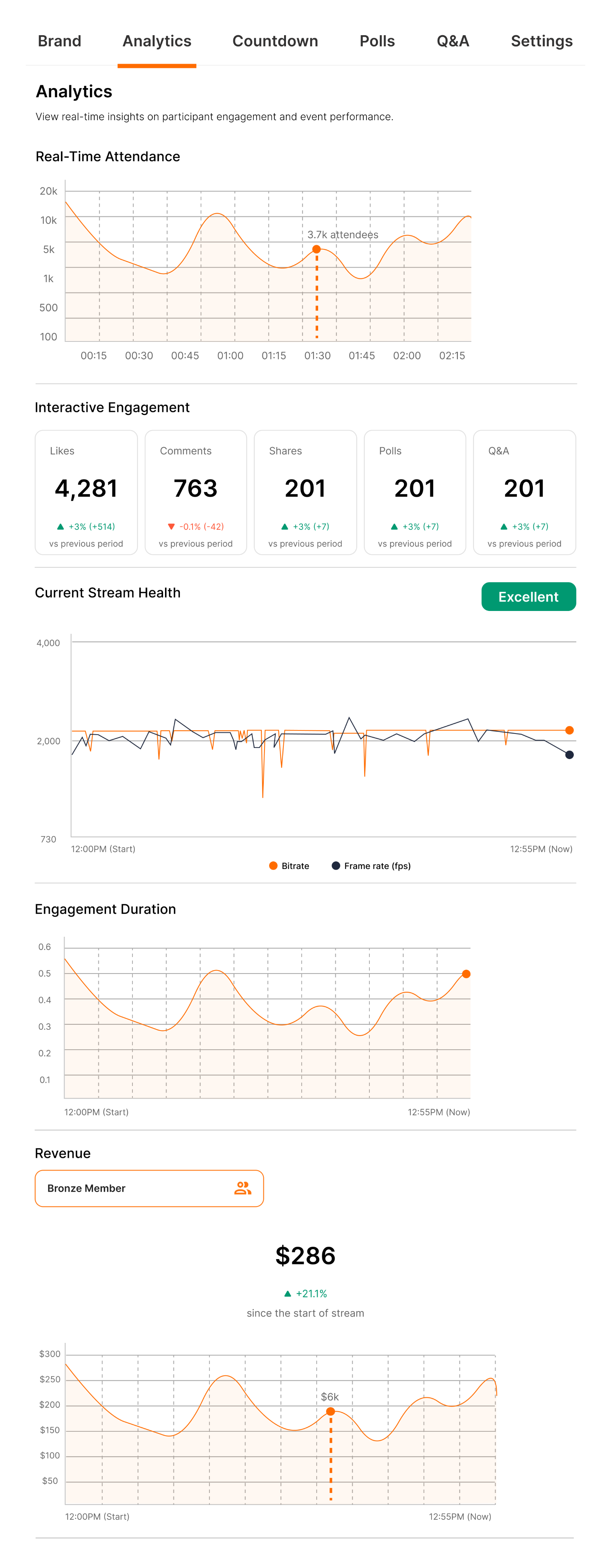
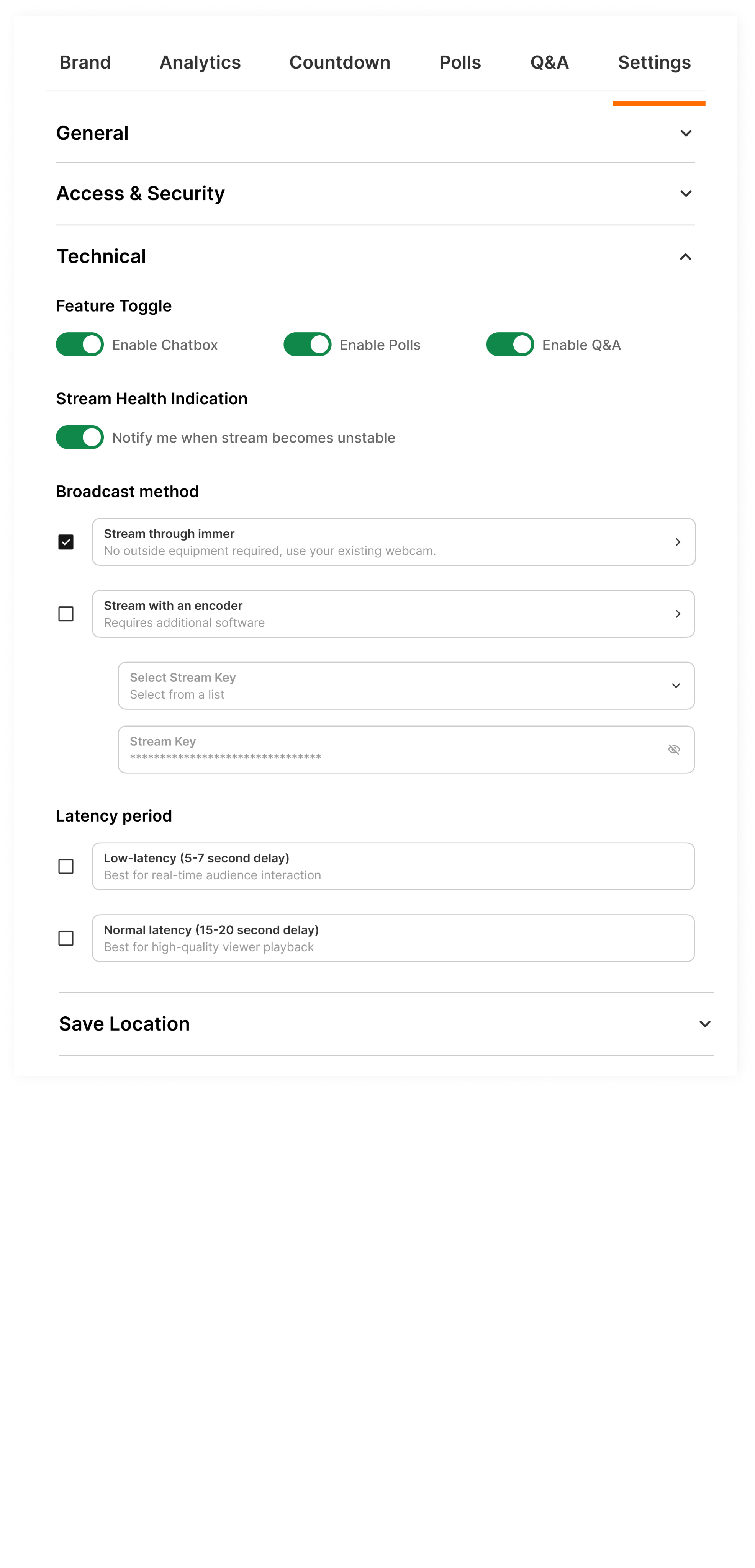
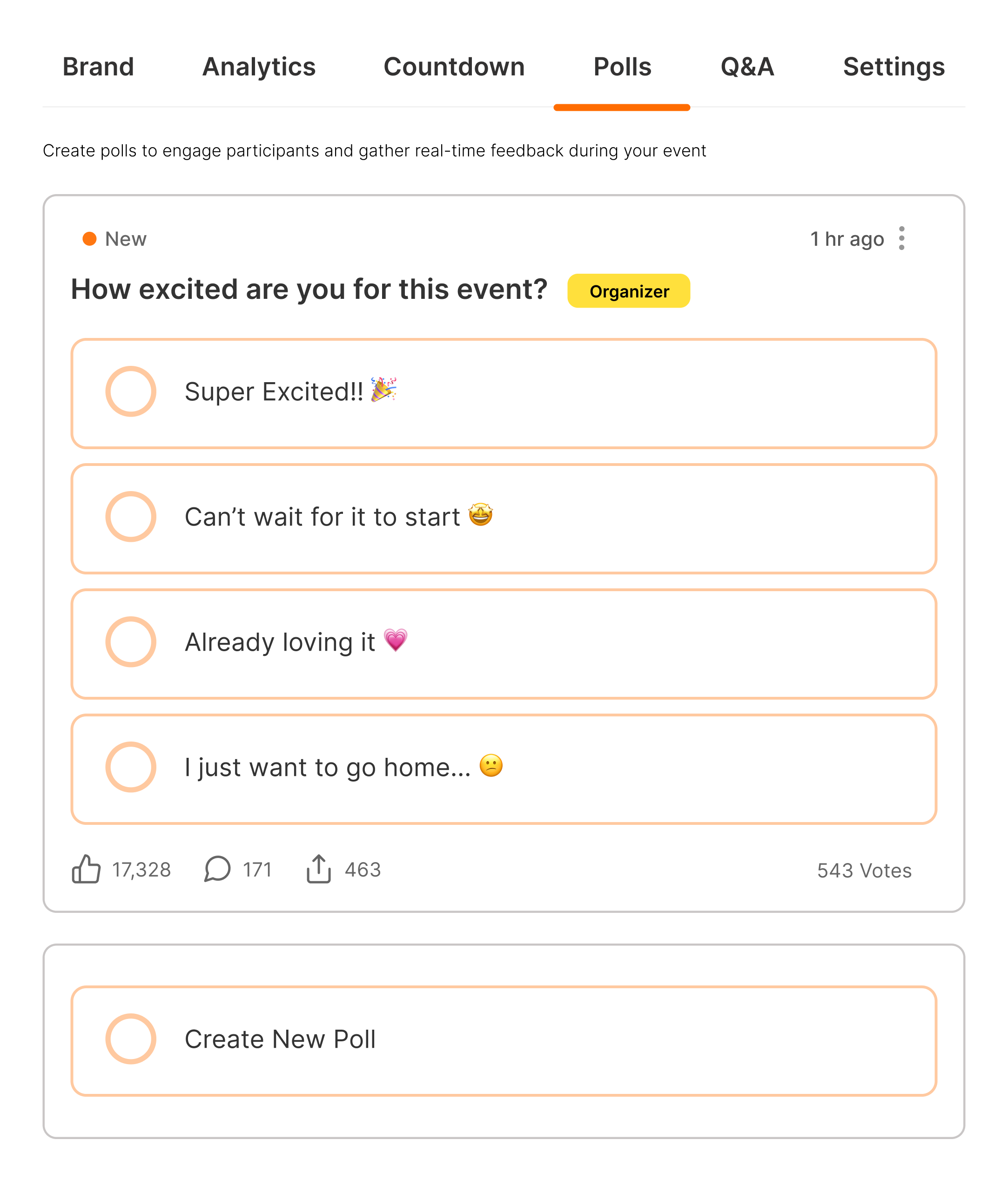
Live Audio Chat & Real-Time Engagement
Researched and redesigned the organizer experience for an event services and ticketing app, improving user flows, incerasing user engagement by 22%, and enhancing usability testing.
X
Built Systems
Product designer
POS System
AI
SaaS
Complex Data
B2B
Enterprise
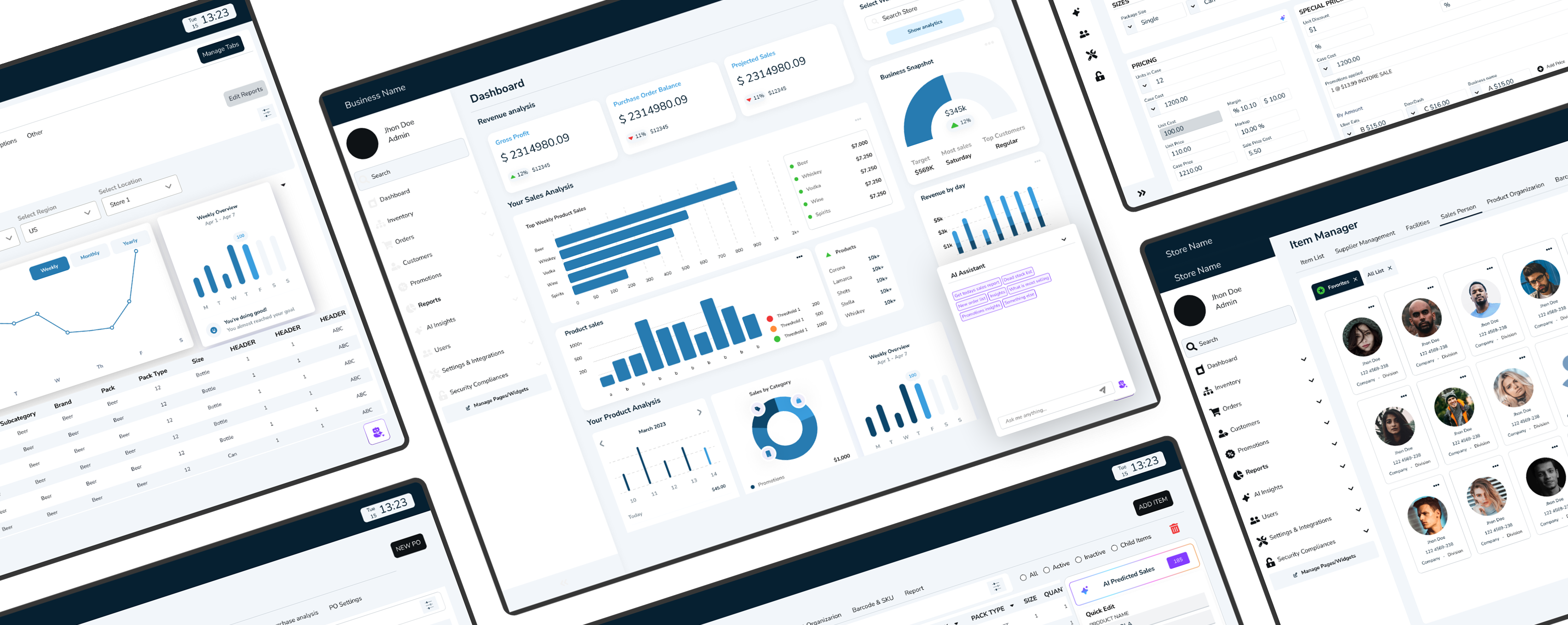
Research to Live Project design
Designed an POS Admin dashboard that unified orders, analytics, and AI insights helping store owners turn data, reports into effortless business clarity

Designing Trust: Shoptaki’s Secure Identity Hub
Led the redesign of SmartID, rebuilding its flow around trust, usability, and simplicity to help users manage their digital identities with ease
MY ROLE
Product Designer
TIMELINE
6+ months | 4 phases to launch
TEAM
4 Designers, 2 Product Managers, 4 Developers, 4 Data Analyst
PROBLEM
Users felt insecure uploading personal IDs and struggled to find them once added. The fragmented flow increased clicks, wasted time, and weakened the product’s core value of secure identity management.
OUTCOME
I transformed the identity experience into a centralized, privacy-first hub, introducing photo-free data extraction. Through iterative testing and design refinements, the flow became simpler and easier for users to trust and navigate.
-where i started
SPOTTING WHAT WASN'T WORKING
Before I began the redesign, SmartID already had identity pages in place, but they didn’t work the way they should. The ID feature that was meant to be the USP of the product, secure, accessible IDs, was buried behind complexity.
Instead of trust and simplicity, the experience felt fragmented.
Objective
Design a secure identity experience that gives users confidence and control, allowing them to manage their ID’s without worrying about unauthorized access and exposing personal information.
Challenge
Making IDs the core focus as well as the USP of the product and easily accessible in the app. Users struggled to quickly access, trust, and manage their IDs, highlighting the need for a clearer, more intuitive identity flow, hindering the user experience and requiring a design solution that prioritized ease of navigation.
- the turning point
INVESTOR MEET AND FEEDBACK
When I presented SmartID’s early designs to investors, the reaction echoed what I had already seen in usability tests.
The GAP was visible to everyone
-usability tests showed users didn’t trust the flow, and investors echoed the same concern: “Where’s the clear ID value?”
The REALIZATION
-the issue wasn’t polish; the very USP of SmartID was missing. What was needed wasn’t a patch, but a complete redesign of the identity experience.
-researching what mattered the most
USER PAIN POINTS
Noted pain points and design gap
Hidden Pathways
Core ID features were buried behind drop-down and extra clicks, making the main USP hard to access.
Cognitive Overload
Cluttered categories and long lists hid key tasks like “Add Passport,” forcing users to pause.
Broken USP
Instead of seamless ID management, the flow created friction and mistrust, the product’s core value was lost.
-testing, wireframing, refining
THE REDESIGN JOURNEY
User research before changes : Older Design testing metrics
- USABILITY INSIGHTS: WHAT DIDN’T WORK, WHY IT DIDN’T AND WHATS NEXT •
12 Participants were interviewed
6 Tasks
30 minute session
Moderated testing
Heuristic evaluations
Mental modal
Surveys
Post-test questionnaires
42%
Task success
12.7s
Avg. time per task
64/100
User satisfaction score
Discovered Pain Points
Users struggled to locate key ID functions within the main navigation.
Validated Observations
Participants intuitively searched for identity-related actions within a central space.
Here is what I started to redesign
01
Users lacked trust in the ID upload flow. The process felt opaque, leaving them uncertain about how their personal data was stored, shared, and secured.
01
OLD INTERFACE DESIGN
02
Users struggled to locate and manage their IDs within the app. The older design buried easy ID access under multiple screens and lacked a clear, centralized hub. Without intuitive navigation, what should have been a simple action viewing all IDs in one place turned into a frustrating, time-consuming process.
01
OLD INTERFACE DESIGN
-aiming the solution
GOALS
Turned user concerns into design priorities

Privacy-First Approach
Implement data extraction without storage to protect user privacy.

Enhanced User Control & Transparency
Provide clear insights and control over data usage.
Designing the path forward with wireframes

1. Quick ID Page
Unified ID Hub: A single dashboard providing quick access to all digital IDs in one place.
Frictionless Navigation: Instantly switch, view, or manage IDs—designed for speed and clarity.
- ID Access Dashboard
Centralized hub displaying all digital IDs (Driver’s License, Passport, etc.).
“Add New ID” feature promotes easy expansion and quick retrieval.

3. Search & Filter
Simplified ID search with “All” and “Expired” filters for easy updates.
Clear visual hierarchy ensures faster navigation for critical IDs.
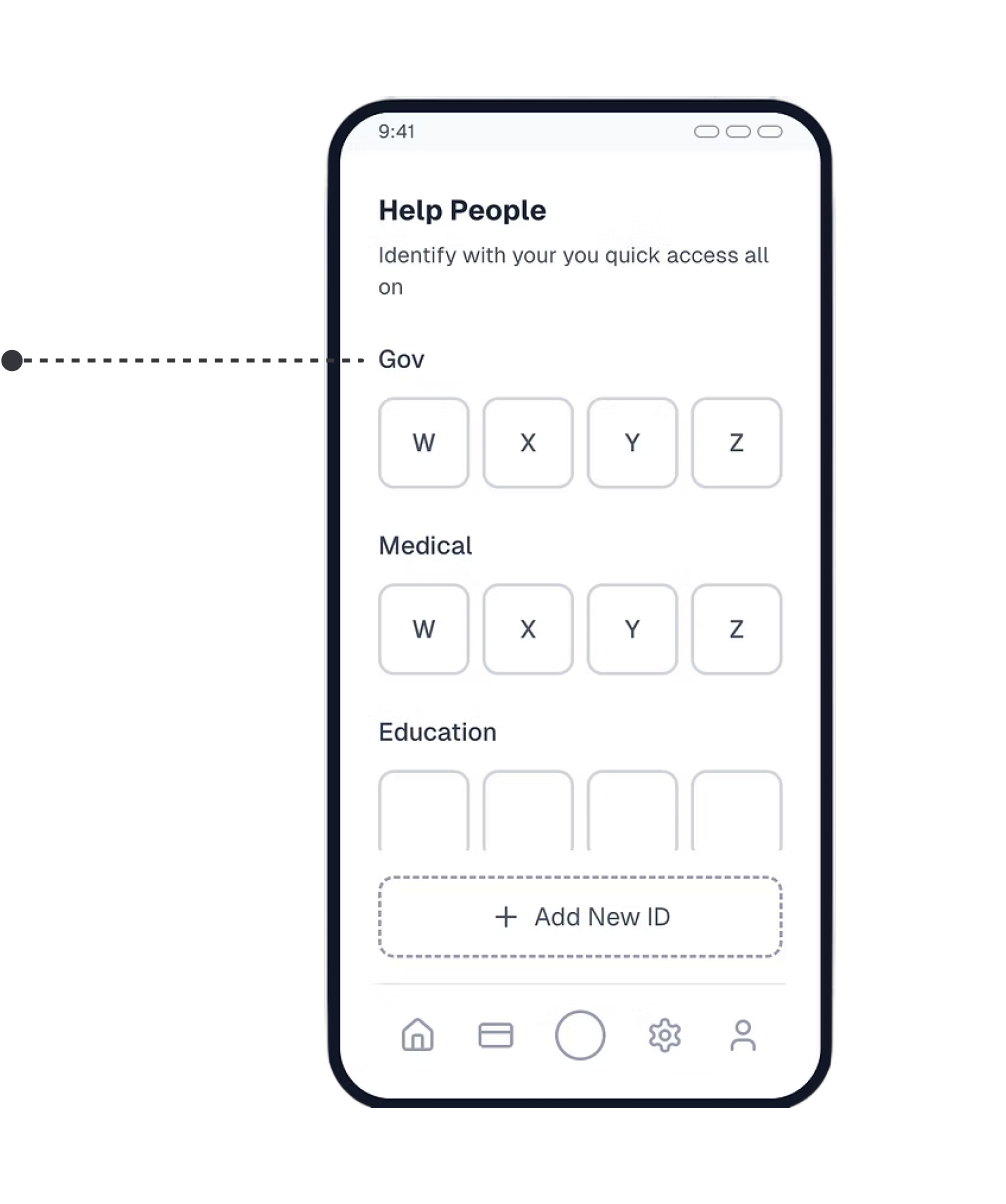
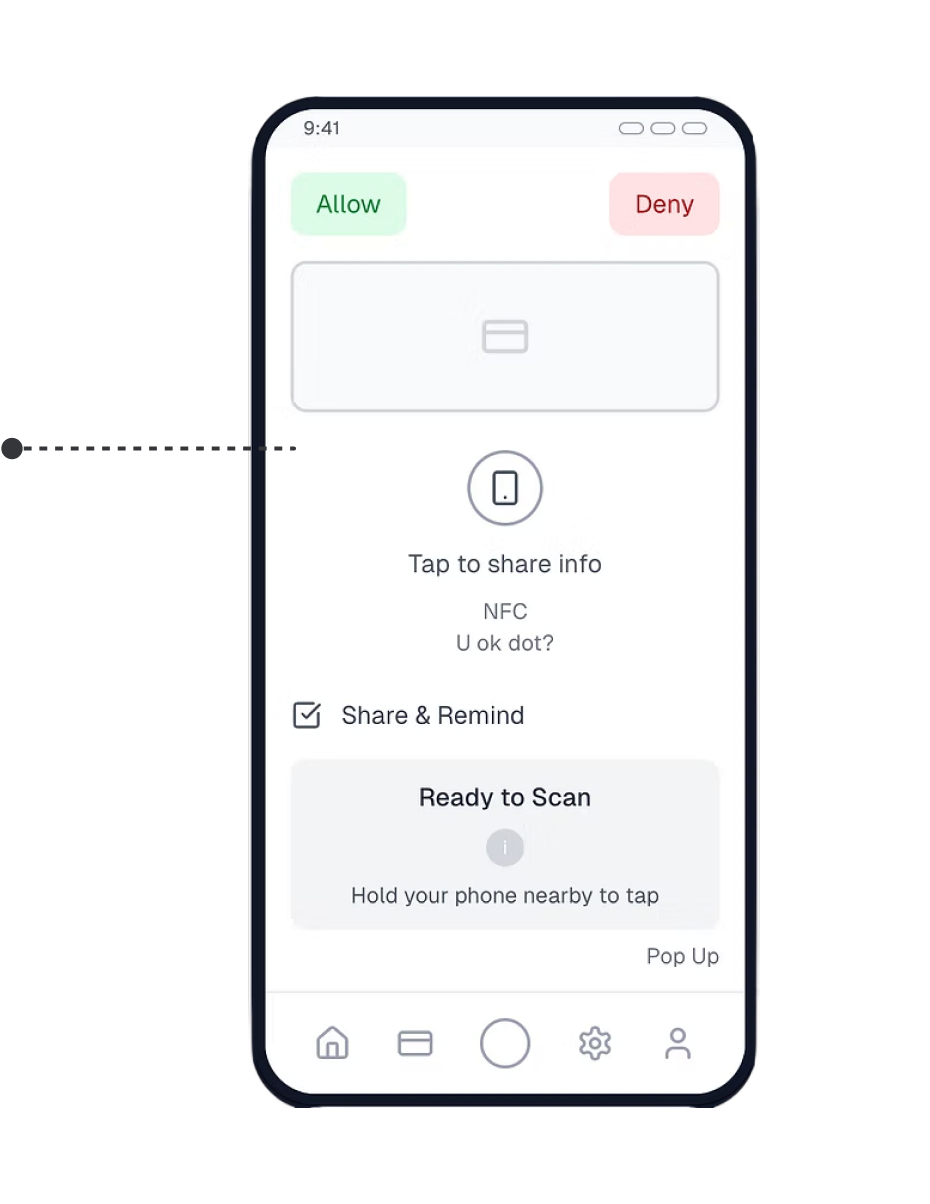
4. Assistance & Sharing
“Help People” tab enables quick sharing for dependent verification (e.g., family or medical purposes).
NFC-based “Tap to Share” ensures secure, one-touch identity verification.

5. Add ID
Streamlined ID Upload: Users can quickly add, name, and categorize new IDs in one intuitive flow.
Built-in Privacy Controls: Optional PIN setup ensures each ID stays secure and personalized.
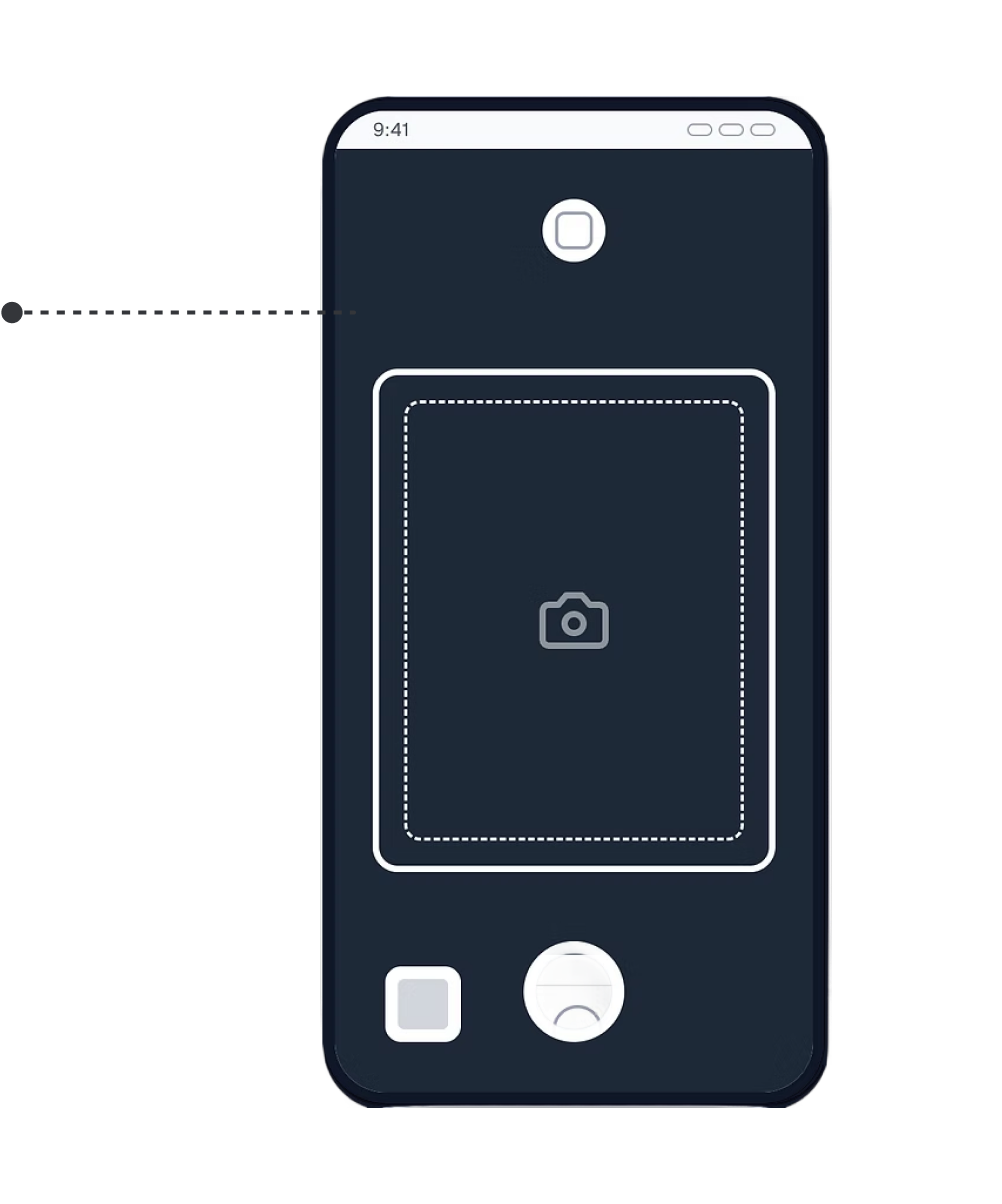
6. Image-Free Data Capture
Camera interface enables secure data extraction without storing photos.
Designed to enhance user trust and privacy compliance.
//WIREFRAMES
Final design outcome
Designed a privacy-first solution by enabling data extraction without image storage, increasing user trust.
Validated solutions through iterative testing, ensuring seamless integration while balancing technical feasibility and business goal
User research after changes
12 Participants were interviewed
6 Tasks
30 minute session
Moderated testing
Heuristic evaluations
Mental modal
Surveys
Post-test questionnaires
86%
Task success
7.8s
Avg. time per task
89/100
User satisfaction score
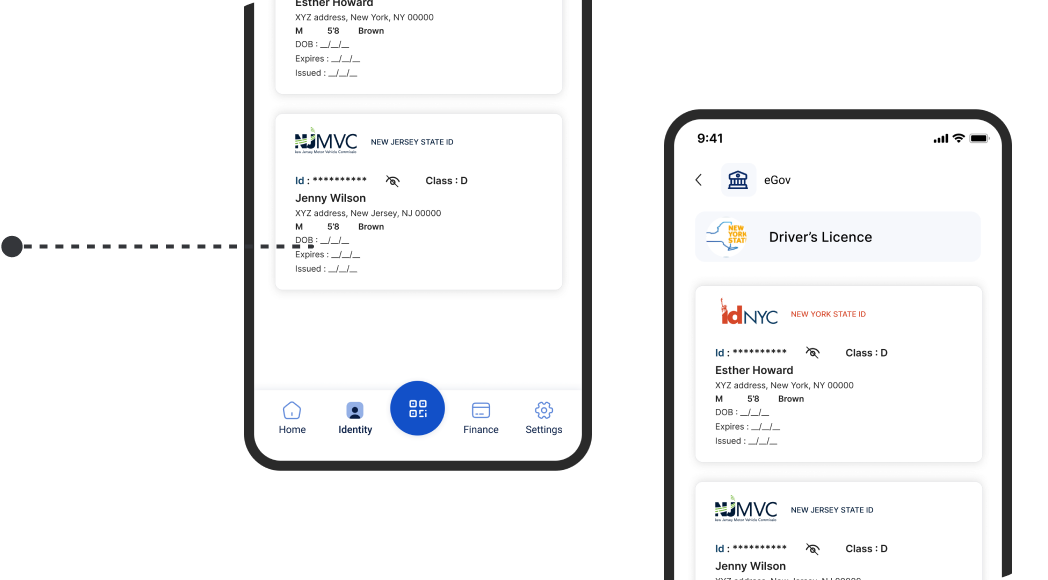
UPDATED NAVIGATION LAYOUT
Centralized identity access to make switching, verifying, and managing IDs effortless.

IMAGE FREE DATA EXTRACTION
Implemented image-free data extraction to protect privacy allowing users to verify identity securely without storing personal photos.
SOLUTIONS
01
“I felt much more comfortable using the platform once I knew my photo wasn’t being stored. The digital ID card was clear, quick, and felt secure.”- User after testing the updated identity verification flow
Implemented a secure real-time data extraction method that pulls only the required information from ID photos without storing the images, protecting user privacy.
//HIFI DESIGNS
02
“I stopped getting lost. Having a direct Identity tab makes everything in one place now.”- User after navigating the redesigned identity flow
I introduced a dedicated Identity tab in the bottom navigation, transforming SmartID’s core value into a single, intuitive hub. This experience shifted from scattered and confusing to predictable and user-driven, allowing users to access, view, and manage all digital IDs in one seamless flow.
//HIFI DESIGNS
- the numbers that defined success
FINAL RESULT
12% Increase
Achieved a 12% increase in action button clicks required to complete each task.

20% Increase
A 20% increase in the findability of features and completion of goal points throughout the product.

15% Improvement
A 15% improvement in flow smoothness, enhancing overall user experience and interaction efficiency.

40% Time Reduce
5.6s to navigate through a task, a significant improvement from the previous 9.4s.
- always a learner
KEY TAKEAWAY AND LEARNINGS
The Power of Subtle Shifts
Relocating the navigation to the left and optimizing the information hierarchy significantly improved usability without requiring a complete system overhaul. (Highlights impact from targeted changes)
Scalability Through Design
Implementing a structured, collapsible navigation was critical for scalability, enabling the system to adapt to evolving user needs and growing data complexities. (Emphasizes importance of scalability).
Collaboration Shapes Success
Closing understanding different perceptions and perspectives with developers and stakeholders reinforced how aligning design with business and technical needs.
Browse more work
Built Trust
Product designer
User Research
B2B
SaaS
Most impactful
Finance Multipayment hub
Revamped SmartID’s Finance Flow to streamline multi-payment actions, reducing steps by 40% and improving user control across transactions.
Built Emotion
UX/UI Design
User Research
B2C
SaaS
Entertainment service
Most impactful
Live Audio Chat & Real-Time Engagement
Researched and redesigned the organizer experience for an event services and ticketing app, improving user flows, incerasing user engagement by 22%, and enhancing usability testing.
X
Built Systems
Product designer
POS System
AI
SaaS
Complex Data
B2B
Enterprise
Research to Live Project design
Designed an POS Admin dashboard that unified orders, analytics, and AI insights helping store owners turn data, reports into effortless business clarity